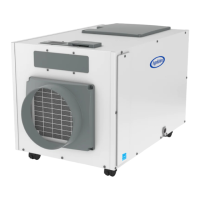
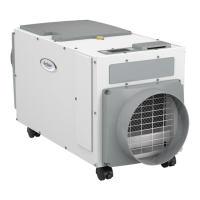
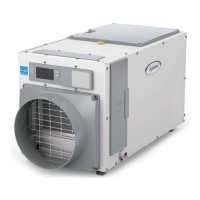
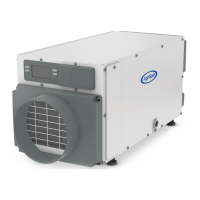
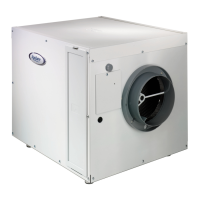
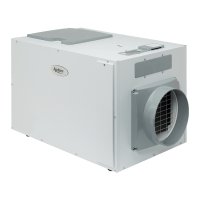
The AprilAire Dehumidifier, specifically the Model E130, is a professional-grade, whole-house dehumidifier designed to control humidity levels throughout an entire home. It operates by drawing air into its cabinet, filtering it, and then removing moisture using a sealed refrigeration system. This system cools the air through a series of tubes and fins to a temperature below the dew point, causing moisture to condense. The condensed water drips into a drain pan and is routed to a floor drain or condensate pump. After moisture removal, the air is reheated before being returned to the home, resulting in warmer and drier air.
Function Description:
The primary function of the AprilAire Dehumidifier is to maintain optimal humidity levels in a living space, preventing issues associated with high humidity such as clamminess, musty odors, and potential mold growth. It is designed for whole-house dehumidification and can be integrated with existing HVAC systems or operated as a standalone unit. The dehumidifier is not intended to prevent window condensation in winter; for that, ventilation to lower indoor humidity levels is recommended.
Usage Features:
The dehumidifier offers several usage features to enhance its functionality and user experience:
- User Interface: The unit features an onboard user interface that allows users to turn the dehumidifier ON/OFF, adjust humidity settings, and view the current humidity level. The display shows "AIR SAMPLING" when determining humidity levels and "DEHUMIDIFYING" when the compressor is active. The user interface can be repositioned from the top to the front of the unit, and even rotated 180 degrees, to ensure visibility and accessibility depending on the installation location.
- Energy Savings Tips: To help users optimize energy consumption, the manual provides tips such as adjusting the humidity setting to the highest comfortable level to reduce run time. It also suggests turning the dehumidifier OFF when windows are open, similar to air conditioning usage. For extended periods away from home in summer, setting the RH to 55% and the thermostat to a comfortable cooling temperature helps maintain controlled humidity while minimizing energy use.
- Remote Control Capability: The dehumidifier can be wired to an external control, such as an AprilAire Thermostat or Model 76 Dehumidifier Control, especially when the unit is located in hard-to-reach areas like attics, crawl spaces, or basements. The Model 76 remote control allows users to monitor and adjust humidity settings from a more accessible living space.
- HVAC System Integration: The dehumidifier can be ducted to an existing HVAC system to pull air from and discharge air to the whole home. This integration can be configured in various ways, including return-to-return or return-to-supply installations. Wiring to the HVAC system ensures that the HVAC blower runs when the dehumidifier is operating, promoting thorough air mixing. The unit can also be set to disable its compressor when the air conditioning is running, which can be beneficial if the AC system struggles to maintain the desired set point.
- Ventilation Feature: The dehumidifier can activate a normally closed damper to bring in outdoor air through a fresh air intake duct. This feature, however, cannot be used with a Model 76 remote control or in two-zone installations. An Outdoor Temperature Sensor (ODT) can be installed to limit ventilation during high or low outdoor temperature conditions, ensuring efficient operation.
- Zoning Capability: For conditioning two independent spaces, the dehumidifier can be configured for zoning. This requires additional ductwork and dampers to direct air to and from a primary and secondary zone. The dehumidifier prioritizes dehumidification in the primary zone and switches to the secondary zone once the primary zone's needs are met.
- Float Switch Integration: The unit supports wiring to a float switch, which can be integral to a condensate pump or mounted in a condensate pan. This safety feature stops the dehumidifier if an overflow occurs, preventing water damage.
- Installer Test Mode: For installation and troubleshooting, the unit includes an installer test mode that runs for four minutes, demonstrating proper operation of all wired components. This mode displays measured humidity, "AIR SAMPLING," and "TEST" on the screen.
Maintenance Features:
Regular maintenance is crucial for the dehumidifier's optimal performance and longevity:
- Filter Cleaning: The air filter should be checked and cleaned every six months. The process involves turning off the unit, loosening a retaining screw on the filter access door, sliding out the filter, rinsing it with water to remove dust, shaking off excess water, and then reinstalling it. An arrow on the filter frame indicates the correct airflow direction. The unit's control displays a "CLEAN FILTER" service reminder every six months, which can be cleared by pressing the up and down buttons simultaneously for three seconds.
- Drain Cleaning: The drain pan and line should also be checked and cleaned every six months. With the filter door removed, the accessible portion of the drain pan can be cleaned with a mild detergent. If the drain has a capped tee or elbow, approximately one cup of white vinegar can be poured into the tube to clean the drain line. For units with clear flexible drain tubing, users should inspect for excess buildup that might impede water flow and replace the tubing as needed.
- Troubleshooting Guide: The manual includes a comprehensive troubleshooting guide with diagnostic codes and possible reasons for various symptoms, along with recommended actions. This guide helps users and technicians identify and resolve common issues such as the unit not turning on, insufficient airflow, compressor not running, damper malfunction, or improper draining. Technical support is available for more complex issues.
- Service Parts: A detailed diagram and list of service parts are provided, including the filter, internal control board, user interface assembly, wiring access door, duct panels, fan, sensors, and leveling feet. This information facilitates easy identification and replacement of components if needed.
- Warranty Information: The dehumidifier comes with a five-year limited warranty covering defects in materials and workmanship. The manual outlines what is covered and not covered by the warranty, as well as the process for registering the product and making a warranty claim.
The AprilAire Dehumidifier is designed for ease of use, efficient operation, and straightforward maintenance, ensuring a comfortable and healthy indoor environment by effectively managing humidity levels.

 Need help?
 General

 To Next Page