EasyManua.ls Logo

Aprilaire 1710A - User Manual

Aprilaire 1710A
5 pages
Print Icon
To Next Page IconTo Next Page
Loading...
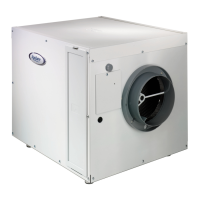
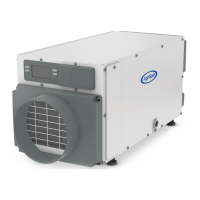
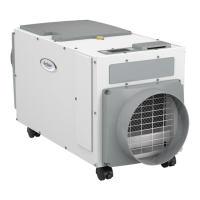
Model 1710A Dehumidifier
Installation & Owners Manual
Includes Safety & Operating Instructions and
Warranty Information
READ AND SAVE THESE INSTRUCTIONS
Dehumidifier

Other manuals for Aprilaire 1710A

Questions and Answers

  • C
    Crystal SandersJul 29, 2025
    What to do if Aprilaire 1710A Dehumidifier does not turn on?
    • A
      Aimee AndersonJul 30, 2025
      If your Aprilaire Dehumidifier isn't turning on, there are several things to check: * Ensure the dehumidifier is properly plugged in. * Make sure the power switch on the dehumidifier is turned ON. * Confirm that the control knob is set to a dryness level number. * Check your circuit breaker to see if it has tripped, as the unit requires a minimum of 8 amps.
  • B
    Brian BarnesAug 3, 2025
    Why is Aprilaire Dehumidifier producing hot air?
    • K
      Karen SantanaAug 3, 2025
      The air is reheated across the condenser coil, which causes the temperature to rise between the inlet and outlet.
  • S
    Stephanie WilsonAug 7, 2025
    What to do if Aprilaire 1710A is not draining properly?
    • L
      laura29Aug 7, 2025
      If your Aprilaire Dehumidifier isn't draining correctly: * Verify that the drain trap is installed correctly. * Check the drain trap and drain line for any blockages by slowly pouring one pint of water into the dehumidifier drip pan, which is located below the coil. * Ensure the drain line has a continuous downward slope.
  • H
    hrossAug 11, 2025
    Why is Aprilaire 1710A blower running but compressor is not?
    • M
      Miss Brittney CollinsAug 11, 2025
      There are a couple of potential reasons why the blower is running but the compressor isn't: * **Float switch open:** If a float switch is installed, inspect the connections at the control board and empty the condensate pan. If no float switch is installed, verify the jumper is correctly placed at the float switch terminals on the control board. * **Coil frosting:** This can be due to lack of, or reduced airflow. Check and clean the filter. It can also happen if the inlet air temperature is below 60°F. In that case, use the control knob to turn down the dryness setting.
  • A
    Amanda CalderonAug 15, 2025
    How to fix float switch open error in Aprilaire Dehumidifier?
    • A
      Angela MirandaAug 15, 2025
      To address a float switch open issue: 1. Empty the condensate pan. 2. Check the float switch connection at the control board. 3. If you are not using a float switch, ensure the jumper is correctly placed between the float switch terminals on the dehumidifier control board. 4. If the problem continues, the float switch may need to be replaced.
  • T
    Taylor FloresAug 19, 2025
    How to improve airflow in Aprilaire 1710A?
    • J
      Justin ArmstrongAug 19, 2025
      If the dehumidifier blower is running but there's little or no airflow, the pressure drop across the filter might be too high. Check the dehumidifier's air filter and either wash or replace it.
  • J
    jasonmaloneAug 25, 2025
    What to do for critical fault: frost sensor failure in Aprilaire 1710A Dehumidifier?
    • S
      Sherri ThompsonAug 25, 2025
      To troubleshoot a frost sensor failure: 1. Check the frost sensor connection at the control board. 2. Remove the side panel and verify the temperature sensor isn't damaged, is fully inserted in the sensor well, and the well is filled with thermal paste. 3. If the fault persists, contact Technical Support.

Summary

Safety Instructions

Warning

120 volts may cause serious injury from electric shock. Disconnect electrical power before servicing.

Caution

Do not use solvents/cleaners on or near the control board. Corrosive environments can damage electrical equipment.

Installer - Please Note!

Installation must conform to all applicable state or local codes. A 15 Amp circuit is required.

Principle of Operation

Specifications

Dimensions: 203/4" W x 24" L x 203/8"-235/8" H Weight: 93 lbs.

Installation Instructions

Install the Drain Line

Install the provided condensate trap to the dehumidifier. Route the hose to the nearest drain.

Plug the Dehumidifier Directly into an Outlet

DO NOT USE AN EXTENSION CORD. A 15 Amp circuit is required.

Turn the ON;OFF Switch to ON

Turn the ON/OFF switch to ON.

System Checkout

Rotate the control knob clockwise to the "Test" position. Blower and compressor start.

Operating Instructions

Dehumidification

Check wiring, plug unit in, and rotate control knob to TEST position. Blower and compressor activate.

Adjusting Dehumidifier Setting

Use the control knob to set desired dryness level. Moving clockwise increases run time.

Troubleshooting Guide

Symptom, Possible Reason, Troubleshooting Procedure

Addresses issues like unit not running, low airflow, compressor not starting, or drain problems.

LED Codes

Details Green LED codes for unit status: Compressor ON, Sampling, Defrosting, Test mode.

Maintenance

Air Filter

Filter should be cleaned or replaced annually. A clean filter is necessary for full capacity.

Drain

The drain trap or outlet should be checked and cleaned of debris annually. Prime trap with water.

Limited Warranty

Warranty Registration

Register your Aprilaire product online at www.aprilaire.com or via mail.

Aprilaire 1710A Specifications

General IconGeneral
Model1710A
Capacity70 pints per day
Coverage AreaUp to 2, 800 sq. ft.
Energy Star CertifiedYes
Amperage6.5 Amps
Voltage115 V
Hertz60 Hz
Airflow200 CFM
Power Supply115V, 60Hz
Humidity Control Range35% to 70% RH

Related product manuals