TUALLY APPLIED UNLESS THE
THROTTLE CONTROL IS RELEASED.
SE EN ÉVIDENCE EN NÉGATIF SUR
L'AFFICHEUR (LA CENTRALE NE L'A
DONC PAS ENCORE ACCEPTÉE) ON
AGIT SUR LA COMMANDE DE L'AC-
CÉLÉRATEUR, LA NOUVELLE CAR-
TOGRAPHIE CHOISIE COMMENCERA
À CLIGNOTER EN POSITIF SUR L'AF-
FICHEUR, MAIS ELLE NE SERA PAS
APPLIQUÉE EFFECTIVEMENT JUS-
QU'À CE QUE LA COMMANDE DE
L'ACCÉLÉRATEUR SOIT RELÂCHÉE.
02_21
Control Buttons (02_21, 02_22,
02_23, 02_24)
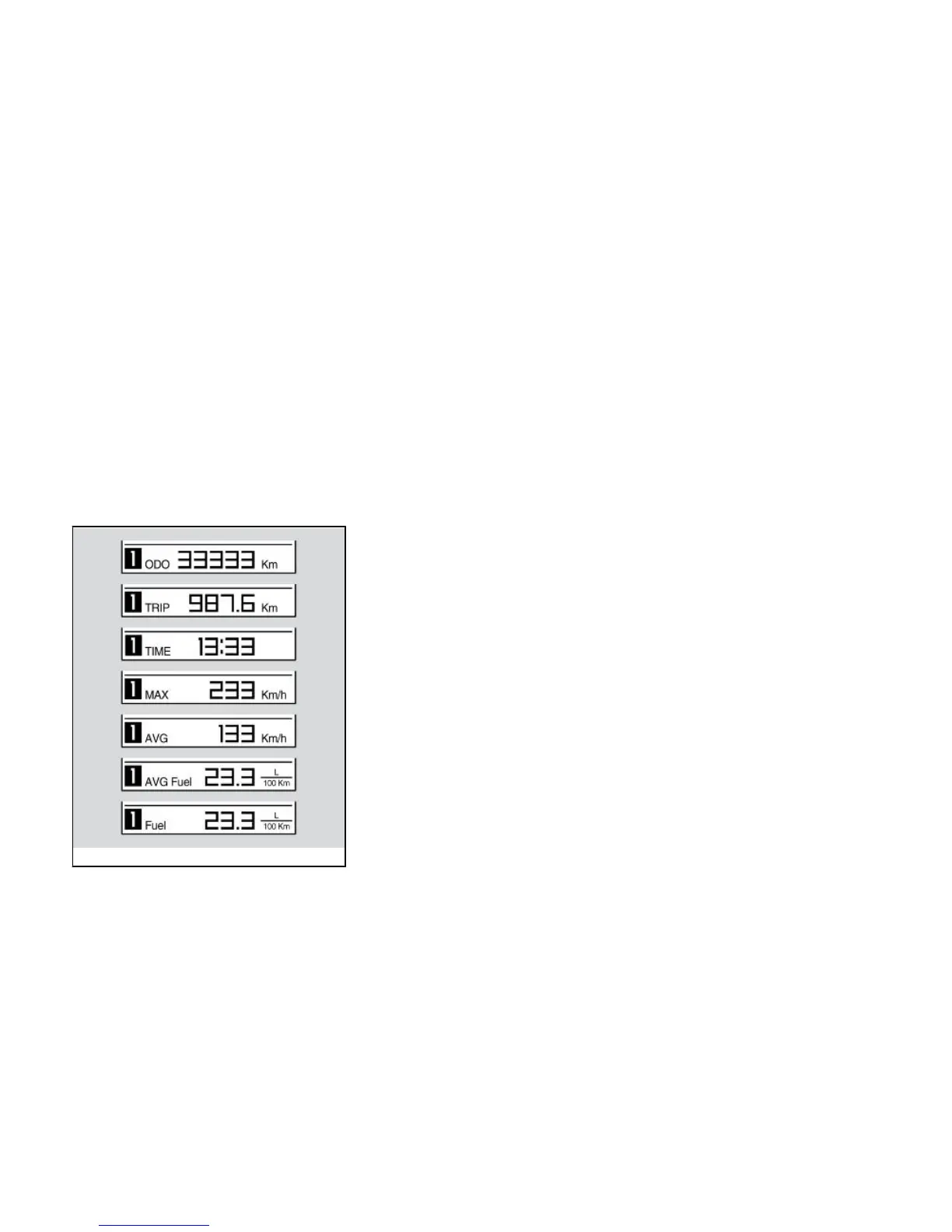
Trip record 1 and 2
Two trip records are available.
Pressing and holding down the left side
of the MODE button will select TRIP RE-
CORD 1, and the icon 1 will illuminate on
the DIGITAL DISPLAY.
Pressing and holding down the right side
of the MODE button will select TRIP RE-
CORD 2, and the icon 2 will illuminate on
the DIGITAL DISPLAY.
In both records, pressing the left or right
side of the MODE button quickly will show
the following information in this order:
Odometer
TRIP ODOMETER
RIDING TIME
Touches de commande
(02_21, 02_22, 02_23, 02_24)
Journaux de voyage 1 et 2
Deux journaux de voyage sont disponi-
bles.
Par une longue pression sur la comman-
de MODE à gauche, on sélectionne le
JOURNAL DE VOYAGE 1, l'icône « 1 »
s'allume sur l'AFFICHEUR NUMÉRI-
QUE.
Par une longue pression sur la comman-
de MODE à droite, on sélectionne le
JOURNAL DE VOYAGE 2, l'icône « 2 »
s'allume sur l'AFFICHEUR NUMÉRI-
QUE.
Dans chaque journal, chaque brève pres-
sion sur la commande MODE à droite ou
à gauche affiche l'une après l'autre les
informations suivantes :
ODOMÈTRE
68


 To Next Page
 Loading...