EasyManua.ls Logo

Apure RP-3000 - User Manual

Apure RP-3000
48 pages
Print Icon
To Next Page IconTo Next Page
Loading...
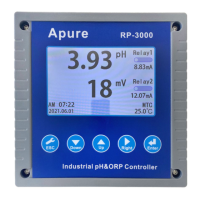
RP-3000
Microcomputer
PH
Oxidation-reduction potential
Transmitter
Apure
RP-3000
AM 12:00
2017.01.01
1000
mV
Relay1
16.00mA
7.00
pH
Relay2
12.00mA
MTC
25.0
Industrial pH/ORP controller
Apure
RP-3000
AM 12:00
2017.01.01
1000
mV
Relay1
16.00mA
7.00
pH
Relay2
12.00mA
MTC
25.0
Industrial pH/ORP controller
ESCESCESC
Apure
RP-3000
AM 12:00
2017.01.01
1000
mV
Relay1
16.00mA
7.00
pH
Relay2
12.00mA
MTC
25.0
Industrial pH/ORP controller
ESC
DownDown UpUp RightRight
EnterEnterEnterEnter
Apure
RP-3000
AM 12:00
2017.01.01
1000
mV
Relay1
16.00mA
7.00
pH
Relay2
12.00mA
MTC
25.0 ℃
Industrial pH/ORP controller
ESC
Down Up Right
Enter
Initial password0000
Question and Answer IconNeed help?

Do you have a question about the Apure RP-3000 and is the answer not in the manual?

Summary

Summary

Instrument technical parameters

Detailed technical specifications and performance metrics for the instrument.

Specifications

General overview of the instrument's technical characteristics and capabilities.

Combination and installation

Host fixed

Instructions on how to securely mount the main unit of the transmitter.

Cabinet installation reference drawing

Visual guide for installing the transmitter within a cabinet or enclosure.

Wall mounted installation reference drawing

Diagrams illustrating the process for wall-mounting the transmitter.

Electrode and protection tube

Guidelines for installing the electrode and its protective housing.

Electrode and electrical wiring

Wiring diagram

Visual representation of the electrical connections for the transmitter.

Back contact function

Explanation of the functionality of the transmitter's back contacts.

Terminal wiring instructions

Step-by-step guide for connecting wires to the transmitter terminals.

Panel introduction

Panel introduction

Overview of the front panel layout and components of the transmitter.

Button description

Detailed explanation of each button's function on the transmitter's interface.

Display screen description

Explanation of the information displayed on the transmitter's screen.

Operation

Measuring

Procedures for operating the transmitter in its primary measurement mode.

Parameter setting mode

Guide to accessing and modifying the instrument's operational parameters.

Setting

Enter parameter setting mode

Steps to access the main configuration menu of the transmitter.

Language setting mode

Instructions for changing the display language of the transmitter.

Password setting mode

Guide on how to set or change the access password for the transmitter.

Electrode type setting mode

How to configure the transmitter for different types of electrodes.

Calibration setting mode

Detailed steps for calibrating the transmitter's sensors.

Temperature setting mode

Procedures for configuring temperature compensation settings.

Relay setting mode

How to configure the relay outputs for alarm and control functions.

Current output setting mode

Steps for configuring the 4-20mA current output signals.

Real time clock setting mode

Instructions for setting the instrument's internal clock and date.

Backlight setting mode

How to adjust the display backlight settings like delay and brightness.

Communication setting mode

Guide for configuring communication parameters like address and baud rate.

Restore factory settings

Procedure to reset the transmitter to its original factory default settings.

Default factory settings

Maintain

Safety and precautions

Summary

Summary

Instrument technical parameters

Detailed technical specifications and performance metrics for the instrument.

Specifications

General overview of the instrument's technical characteristics and capabilities.

Combination and installation

Host fixed

Instructions on how to securely mount the main unit of the transmitter.

Cabinet installation reference drawing

Visual guide for installing the transmitter within a cabinet or enclosure.

Wall mounted installation reference drawing

Diagrams illustrating the process for wall-mounting the transmitter.

Electrode and protection tube

Guidelines for installing the electrode and its protective housing.

Electrode and electrical wiring

Wiring diagram

Visual representation of the electrical connections for the transmitter.

Back contact function

Explanation of the functionality of the transmitter's back contacts.

Terminal wiring instructions

Step-by-step guide for connecting wires to the transmitter terminals.

Panel introduction

Panel introduction

Overview of the front panel layout and components of the transmitter.

Button description

Detailed explanation of each button's function on the transmitter's interface.

Display screen description

Explanation of the information displayed on the transmitter's screen.

Operation

Measuring

Procedures for operating the transmitter in its primary measurement mode.

Parameter setting mode

Guide to accessing and modifying the instrument's operational parameters.

Setting

Enter parameter setting mode

Steps to access the main configuration menu of the transmitter.

Language setting mode

Instructions for changing the display language of the transmitter.

Password setting mode

Guide on how to set or change the access password for the transmitter.

Electrode type setting mode

How to configure the transmitter for different types of electrodes.

Calibration setting mode

Detailed steps for calibrating the transmitter's sensors.

Temperature setting mode

Procedures for configuring temperature compensation settings.

Relay setting mode

How to configure the relay outputs for alarm and control functions.

Current output setting mode

Steps for configuring the 4-20mA current output signals.

Real time clock setting mode

Instructions for setting the instrument's internal clock and date.

Backlight setting mode

How to adjust the display backlight settings like delay and brightness.

Communication setting mode

Guide for configuring communication parameters like address and baud rate.

Restore factory settings

Procedure to reset the transmitter to its original factory default settings.

Default factory settings

Maintain

Safety and precautions

Apure RP-3000 Specifications

General IconGeneral
Resolution (pH)0.01pH
Measuring Range (pH)0.00 to 14.00 pH
Light SourceLED
DetectorPhotodiode
DisplayLCD