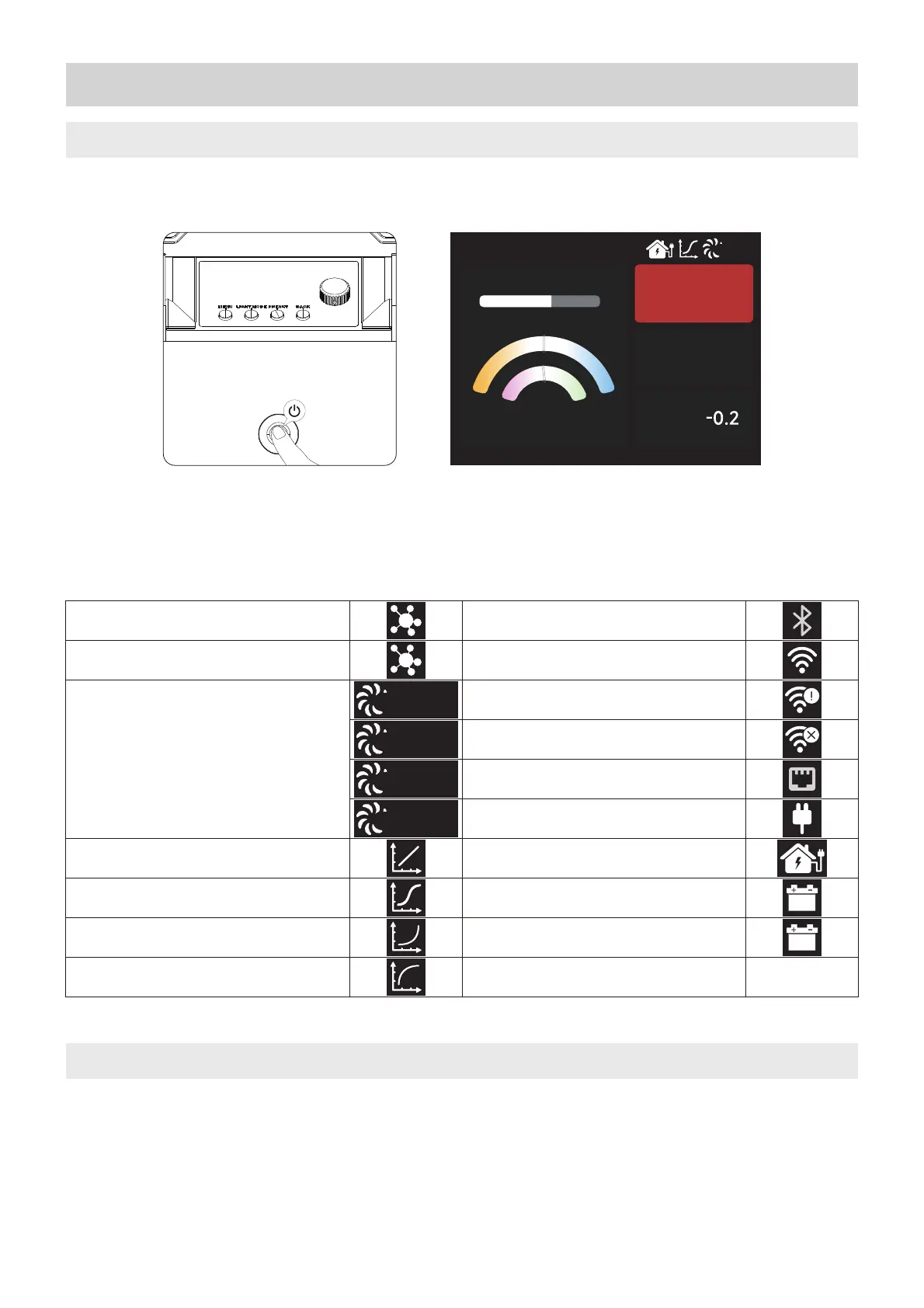
Connect the power supply and press the power button on the control box to turn on/off.
Operating Instructions
1. Powering On/Off
2. Manual Control of Control Box
Press the button on the control box to enter the corresponding modes: MENU, LIGHT MODE, and
PRESET.
_ÖçÁîĐ
f
溡溠溠炀溠炀
溢溠溠溠<
'澦D瀆溡潻溠溠 '澦D灢溡潻溠溠
溡溠溠溠溠<
溠'澦D澱
澱f 溥溦溠溠<
澱/Ef 溦溠炀
Note: If your fixture has Studio Mode "ON", the Control Box will power on whenever power is supplied to it.
_ÖçÁîĐ
>
&
,ÖÍÓ
DÁ½Öĕì
_ì§ąĐ
Lead/Follow Mode: Leader
Lead/Follow Mode: Follower
Fan Mode:
Dimming Curve: Exp
Dimming Curve: Log
Dimming Curve: S-Curve
Dimming Curve: Linear
Sidus Bluetooth
Receiving CRMX data
DC power supply: DC interface 2
DC power supply: DC interface 1
15 Amp Power Cable Detected
AC Power Detected
Ethernet
CRMX Linked/No TX present
Receiving CRMX/DMX data
not present
1.1 Status Indicator Icons


 To Next Page