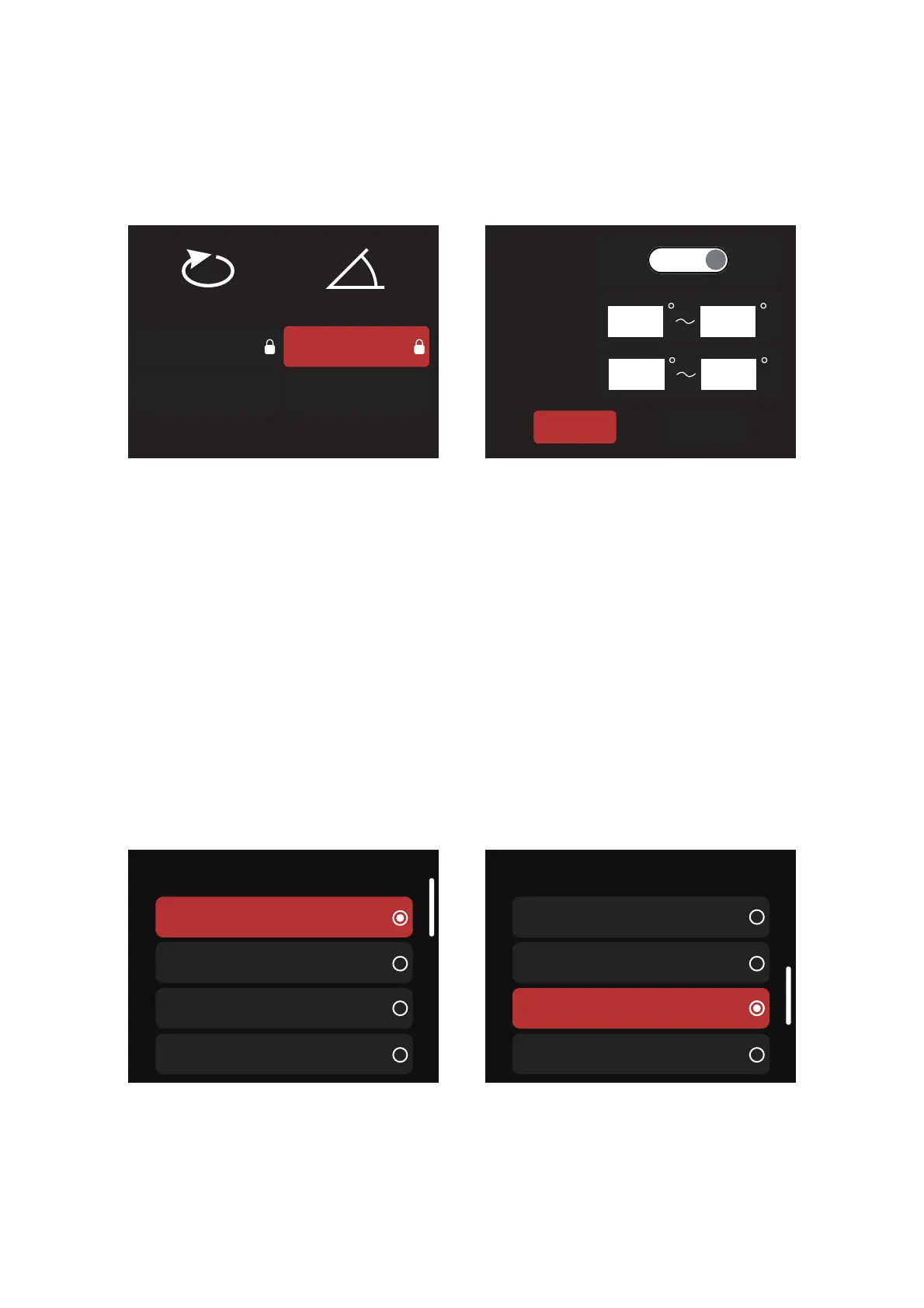
(2) Motorized Yoke: When the fixture is utilizing a Motorized Yoke, the following options are
available in the Accessory Motorized Yoke interface:
a. When also utilizing an Aputure-Mount Accessory, the Motorized Yoke interface will
auto-populate motion limitations (pan and tilt) imposed by the Apature-Mount Accessory.
Reset Position: Resets the Motorized Yoke to its home position.Reset Position also will calibrate the
motorized yoke.
Motion Limit: Due to differing size and space limitations of your scenario, stricter pan and tilt
limitations may be required. Edit and reset motion limits in this interface. Caution is
recommended when adjusting and resetting limits.
When using an accessory that does not utilize the Aputure Mount system,then the user can
manually select the Accessory from the provided list to populate the motion limitations of the
Motorized Yoke.
(a) Aputure Bowens mount accessories:
X§î>ÖìÖĐ溡溠溠煉灮溣溦溠煉
溣溦溠煉 fÖçĐ
fÖçĐ>ÖìÖĐ溡溠溠煉灮溢溧溠煉
溢溧溠煉
[ÁĐĕąîĐõKąÖÍÖî DõĐÖõî>ÖìÖĐ
X§î
X§î>ÖìÖĐ
[ÁĉÁĐ·õîÌÖąì
溡溠 溣溦溠
DõĐÖõî>ÖìÖĐ
KE
fÖçĐ>ÖìÖĐ
溡溠 溢溧溠
_ÁçÁ·Đ§î§··潻ĐĬĂÁ潻
>ÖÍÓĐõìÁ溡溥溠
>ÖÍÓĐõìÁ溡溢溠
>ÖÍÓĐõìÁ//
··ÁĉĉõąĬ
Eõ
>ÖÍÓĐìÖîÖ///
>ÖÍÓĐõìÁ///
_ĂõçÖÍÓĐD§ī
>§îĐÁąî
_ÁçÁ·Đ§î§··潻ĐĬĂÁ潻


 To Next Page