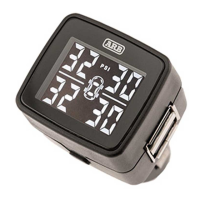
CHANGING TYRE PRESSURE UNIT (Default is set to PSI)
1) Press and hold SET button for 10 seconds then release. Beep will sound at 3 seconds, 5 seconds and 10 seconds
2) Toggle BAR or PSI by pressing the SET button
3) Press and hold for 5 seconds on desired pressure unit to save and exit. Beep will sound after 5 seconds
ADJUSTING PRESSURE ALERT SETTING (Default setting is 30PSI for all tyres)
1) Press and hold SET button for 3 seconds. Beep will sound after 3 seconds
2) The front 2 tyres will be flashing. Pressure is set by axle
3) By pressing the SET button 1 time, the pressure setting will increase by 1 PSI increments, default is 30PSI
4) Once placard pressure setting is set for front, press and hold SET button for 3 seconds to save and change to rear axel
5) Repeat from step 2 to set rear axle
6) Press and hold for 5 seconds to save and exit and return to home screen, thresholds are now set. Beep will sound after 5
seconds
NOTE: Skip step 6 to enter spare or trailer tyres, these will be shown after the rear axle setting by pressing and holding the SET
button for 3 seconds. Press and hold for 5 seconds to save and exit and return to home screen, thresholds are now set. Beep will
sound after 5 seconds. Trailer mode will only be active if the trailer option has been setup in normal mode
ADJUSTING TEMPERATURE ALERT SETTING (Default setting is 80 degrees for all tyres)
1) Press and hold SET button for 5 seconds. Beep will sound at 3 seconds and 5 seconds
2) The front 2 tyres will be flashing. Temperature is set by axle
3) By pressing the SET button, the temperature setting will increase by 5 degrees’ increments, default is 80 degrees. Settings are
80C – 85C – 90C
4) Once temperature is set, press and hold SET button for 3 seconds to change to rear axel
5) Repeat from step 2 to set rear axel
6) Press and hold for 5 seconds to save and exit
NOTE: Skip step 6 to enter spare or trailer tyres, these will be shown after the rear axle setting by pressing and holding the SET
button for 3 seconds. Press and hold for 5 seconds to save and exit and return to home screen, thresholds are now set. Beep will
sound after 5 seconds. Trailer mode will only be active if the trailer option has been setup in normal mode
ADJUSTING DISPLAY BRIGHTNESS
1) Press SET button 1 time to reduce the brightness of display
2) Press SET button 1 time to increase the brightness of display
OFFROAD MODE USE
1) Press the SET button 2 times. Display will beep and change to Orange to confirm OFFROAD mode is enabled
ADJUSTING PRESSURE ALERT SETTING IN OFFROAD MODE (Default setting is 15PSI for all tyres)
1) Press and hold SET button for 3 seconds. Beep will sound after 3 seconds
2) The front 2 tyres will be flashing. Pressure is set by axle
3) By pressing the SET button 1 time, the pressure setting will increase by 1 PSI increments, default is 15PSI
4) Once desired off-road pressure is set for front, press and hold SET button for 3 seconds to save and change to rear axel
5) Repeat from step 2 to set rear axle
6) Press and hold for 5 seconds to save and exit and return to home screen, thresholds are now set. Beep will sound after 5
seconds
NOTE: Skip step 6 to enter spare or trailer tyres, these will be shown after the rear axle setting by pressing and holding the SET
button for 3 seconds. Press and hold for 5 seconds to save and exit and return to home screen, thresholds are now set. Beep will
sound after 5 seconds. Trailer mode will only be active if the trailer option has been setup in normal mode


 To Next Page
 Loading...