EasyManua.ls Logo

ARB INTENSITY IQ - User Manual

ARB INTENSITY IQ
16 pages
Print Icon
To Next Page IconTo Next Page
Loading...
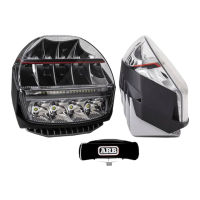
ARB INTENSITY IQ USER MANUAL
ARB INTENSITY IQ
DRIVING LIGHTS
USER MANUAL

Questions and Answers

  • A
    Amy RamirezAug 12, 2025
    Why are all my ARB INTENSITY IQ driving lights not turning on?
    • G
      Gregory CamposAug 12, 2025
      If all your ARB Automobile Accessories driving lights aren't turning on, here's what to check: * Ensure your high beam lights are on and that the high beam trigger wire has a voltage supply between 11-32V. Also, check the fuses. * Make sure the switch is turned on by pressing the ARB button. * Try rebooting the system by turning the vehicle ignition and headlights off, waiting five seconds, and then turning them back on. * Verify that the light settings have brightness. Check different switch positions or use the app to check the brightness of the selected switch position.
  • S
    samuel31Aug 16, 2025
    What to do if my ARB INTENSITY IQ Automobile Accessories lights will not turn off?
    • D
      David AlvaradoAug 16, 2025
      If your ARB Automobile Accessories lights won't turn off, it might be due to a few reasons: * Check if the High Beam Override feature is enabled in the app for the selected switch position and turn it off. * Examine the Courtesy feature settings within the app for all switch positions, adjusting the allocated courtesy time if necessary. * Verify the voltage at the high beam trigger wire to ensure it doesn't have a constant 11-32V supply.
  • S
    sgallagherAug 19, 2025
    How to connect the app with the light network for ARB Automobile Accessories?
    • K
      kevin12Aug 20, 2025
      If the app isn't connecting to the light network for your ARB Automobile Accessories, try the following: * Ensure that the vehicle ignition and headlights are turned on. * Verify that your smartphone's operating system is supported (iOS 13 or later, Android 6.0 or later). If not, use a supported device. * Try uninstalling and reinstalling the latest version of the app on your smartphone. * Disconnect and reconnect the IQ ground terminals from the vehicle. * If another device is already connected, relocate the vehicle and LCM to a location where the other device will disconnect.
  • A
    Anthony LongAug 23, 2025
    How to fix an ARB Automobile Accessories switch that does not turn on?
    • W
      William RubioAug 25, 2025
      If the ARB logo is not illuminated and the switch won't turn on for your ARB Automobile Accessories, here's what you can do: * Check that the vehicle ignition and headlights are on and that the system active trigger wire has a voltage supply between 11-32V. Also, check the fuses. * Verify that the LCM terminal wire has a voltage supply between 11-32V. Also, check the fuses. * Ensure the switch is properly connected to the LCM. * Confirm that the LCM is connected to the harness.
  • C
    Cody RodriguezAug 27, 2025
    Why is the system response slow in my ARB INTENSITY IQ?
    • E
      Emily WilliamsAug 27, 2025
      If your ARB Automobile Accessories system is responding slowly, consider these points: * Use the app to check if the switch response time is set to an acceptable duration. * Also, verify within the app that the fade feature time is set to a reasonable value.
  • R
    Reginald SmithAug 31, 2025
    What to do if some ARB Automobile Accessories driving lights do not turn on?
    • L
      lisawalkerAug 31, 2025
      If some of your ARB Automobile Accessories driving lights aren't turning on, try these steps: * Reboot the system by turning the vehicle ignition and headlights off, waiting five seconds, and then turning them back on. * Use the app to check the brightness of the selected switch position to ensure it's not set to 0%.
  • C
    cgonzalezSep 4, 2025
    Why are some optics in my ARB Automobile Accessories lights not illuminated?
    • J
      Juan WaltonSep 4, 2025
      If some optics in the lights of your ARB Automobile Accessories are not illuminated, check the brightness of all optics for the selected switch position using the app.
  • J
    Jennifer JohnsonSep 7, 2025
    How to fix an unresponsive ARB Automobile Accessories system?
    • L
      Lisa OneillSep 7, 2025
      To resolve an unresponsive ARB Automobile Accessories system, perform a master restart. Turn the vehicle ignition and headlights off, then disconnect the LCM terminal from the vehicle battery and reconnect it.

Summary

Care and Maintenance

Specifications and Features

Details technical specifications, power, output, and dimensions.

Harness Installation

Light Installation

Using the Switch

Adjusting the Light Output

Details how to change light output levels using switch positions.

Using the ARB App

Adjusting the Optic Brightness

Override Feature (Work Light)

Troubleshooting

Warranty

ARB Products Warranty Against Defects

Details ARB's warranty policy against defects in workmanship and materials.

ARB INTENSITY IQ Specifications

General IconGeneral
BrandARB
ModelINTENSITY IQ
CategoryAutomobile Accessories
LanguageEnglish

Related product manuals