ARB INTENSITY IQ • USER MANUAL
Using the Switch
The driving lights are fully customisable where the four internal optics can be controlled with either the
switch, smartphone app or ARB LINX. The switch has factory setings pre-installed that provide a variety of
light outputs depending on the switch position selected. The factory setings are listed in Table 2.
Lights ON and OFF
To turn the driving lights ON and OFF, press the ARB buton at the centre of the switch.
Please note, the driving lights are linked with the vehicle high beam lights and will only operate when the
vehicle high beam lights are ON. Likewise, the system is active (the switch will operate and the app will
communicate) when the vehicle ignition or illumination is ON depending on how the harness was installed.
Adjusting the Light Output
The switch has eight light output options pre-installed (Table 2). The six switch positions (1 to 6) can be
selected by pressing the previous and next butons on the switch. The two switch positions (QS and QS)
can be selected by pressing the QS and QS butons respectively.
Courtesy Feature
The courtesy feature illuminates the driving lights for an amount of time when the vehicle ignition or
headlights are turned OFF. Using the app, the courtesy feature can be customised to cycle through the
switch positions for a selected amount of time. The courtesy feature can be deactivated by pushing and
holding the ARB buton while pressing the previous buton three times. The switch LEDs will flash three
times to indicate the courtesy change has occurred.
Euro Mode
Various countries require a certain light output for legal operation of driving lights. The driving lights have a
Euro mode that is compliant to UNECE R for legal operation in these countries. The Euro mode can be
activated and deactivated by pushing and holding the ARB buton while pressing the previous buton four
times. The Switch LEDs will flash four times to indicate the Euro change has occurred. When Euro mode is
active, the two outside LEDs on the switch will illuminate.
Factory Reset
To restore all factory setings, press and hold both the previous and next butons for five seconds. The
switch LEDs will flash six times to indicate the reset has occurred.
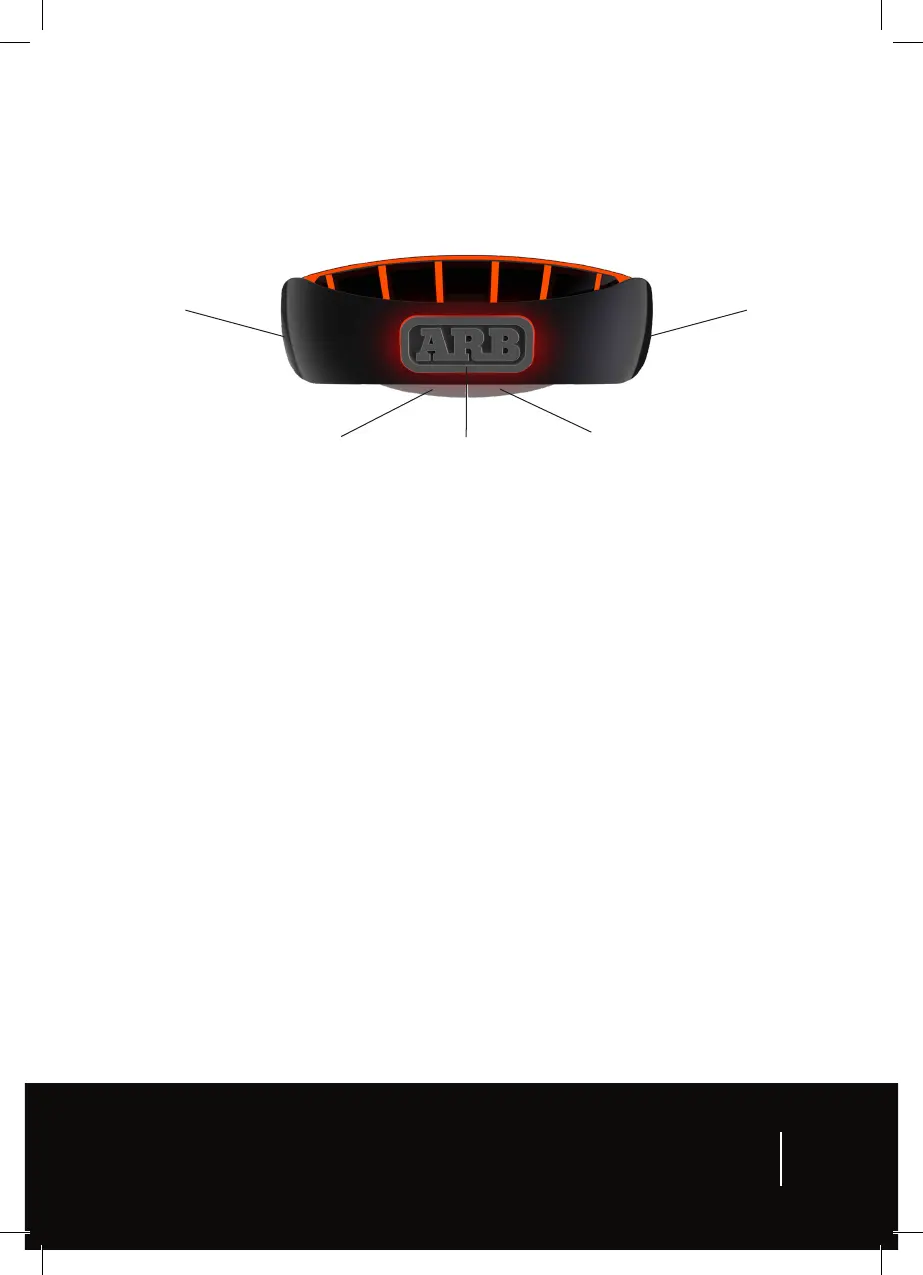
NEXT switch
position buton
PREVIOUS switch
position buton
Quick Select 1 buton
(QS)
ON / OFF buton Quick Select 2 buton
(QS)
9


 To Next Page