MANUAL V2.0
5 & 7
PLAYING MUSIC > P. 24
2.7 lIsTenIng TO web radIOs
In order to be able to listen to thousands of different Web radio stations and various
podcasts worldwide, your device will need to be registered.
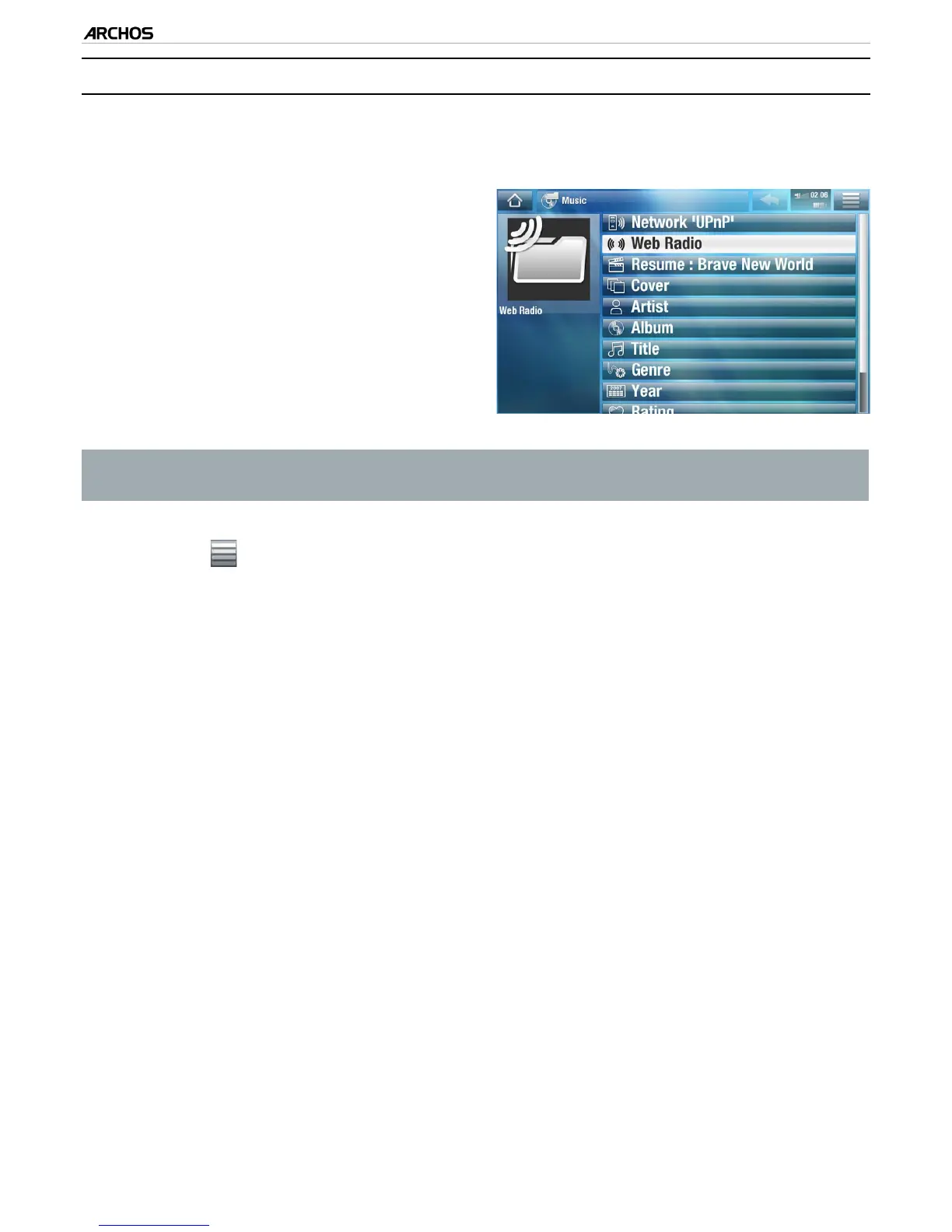
From the Home Screen, tap on “Play”,
then choose “Music”.
Select “Web Radio”. If your device is not
connected to the Internet, it will try to
make a connection.
The “Web Radio” interface is orga-
nized by category, such as “Location”,
“Genre”, “Most Popular Stations” etc.
Browse the categories to nd the radio
station/podcast you want to listen to.
1.
2.
3.
To nd more information about how to connect to the Internet, see: Connecting
to the WiFi.
The radio station/podcast you select will open in the music player. Selecting the
menu icon will display several options:
“Info”: to view the information concerning the radio station/podcast.
“Add to favorites” / “remove favorite”: adds the current Web radio station as
a favorite (or removes it from the favorites).
“Sound”: displays the “Sound” settings screen (see:
“Sound” Settings
).
4.
-
-
-



 To Next Page