MANUAL V2.0
5 & 7
MAIN SETTINGS > P. 55
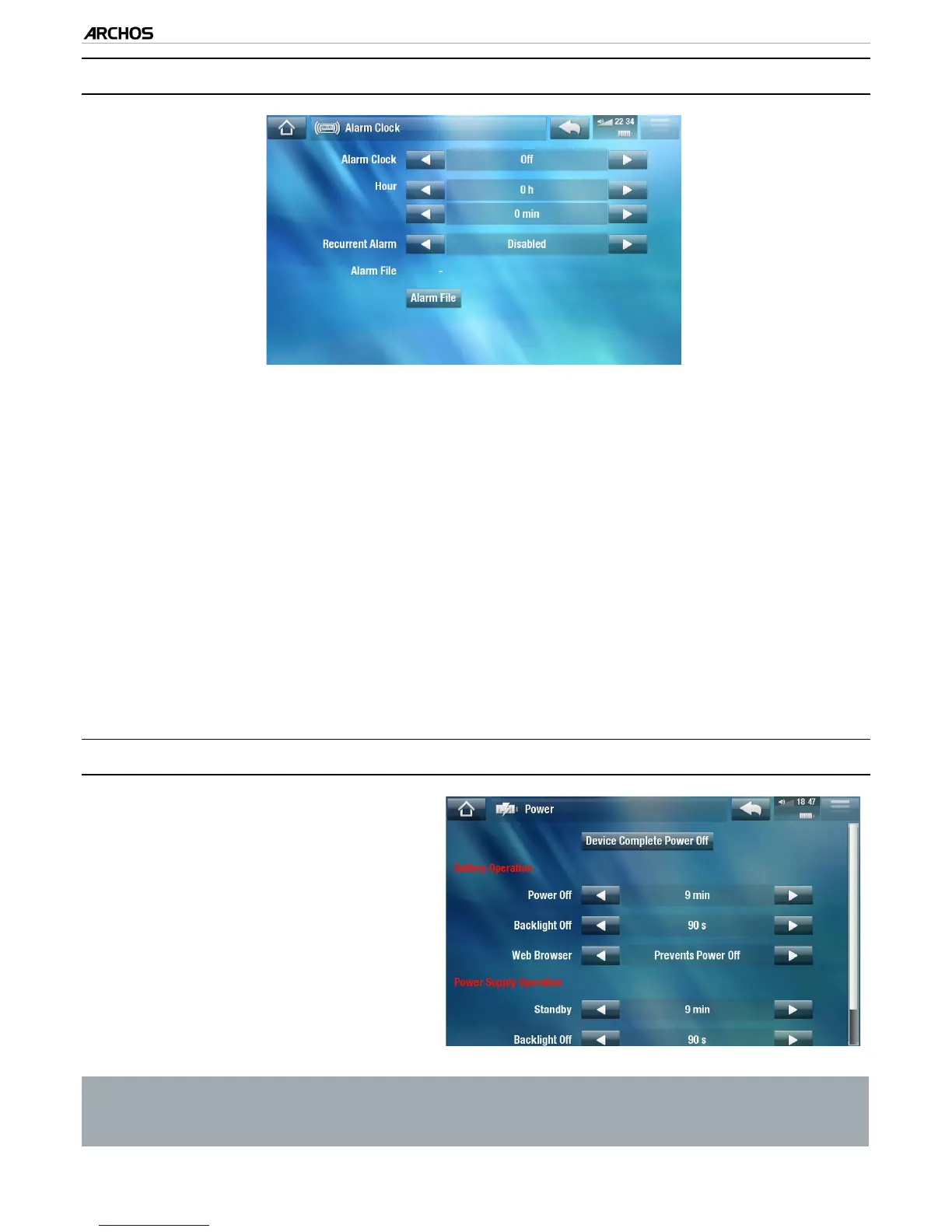
8.8 “alarM ClOCk” seTTIngs“alarM ClOCk” seTTIngs
Set “Alarm Clock” to “Enabled” (if you want to turn off the alarm clock, select
“Disabled”)
The following parameters will appear:
“Hour”, “Minute”: set the time you want the alarm clock to go off.
“Recurrent Alarm”: set this to “on” if you want the alarm to go off everyday
at the same time.
“Alarm File”: the name of the le to be played when the alarm goes off.
“Change Alarm File”: select this to dene a new alarm le. You can choose a
video, a song, a Web radio or a Web TV station.
When you close the window, you will see a symbol appear in the top status bar,
on the left of the volume icon, indicating that the alarm clock is enabled.
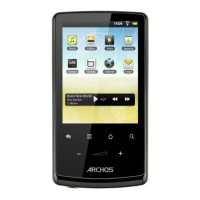
8.9 “POwer” seTTIngs
These settings will help you save
battery power, thus allowing a lon-
ger battery autonomy.
You can adjust settings for both
battery operation and power sup-
ply operation (when the ARCHOS is
connected to a powered add-on).
•
•
Your ARCHOS will consume more power as these parameters are set to higher
values. In battery operation, it is advised to set these parameters to lower val-
ues in order to save power.
•
•
-
-
-
-
•



 To Next Page