MANUAL V2.0
5 & 7
MAIN SETTINGS > P. 50
“Audio Output”
denes whether the audio signal is sent out via the “Analog Line-Out”, “HDMI”*
or “SPDIF”* interface.
* When connected to a DVR Station.
“Preset”
allows you to quickly select a sound prole.
“Set Equalizer”
allows you to use a custom sound prole. Select this option to enter the equalizer
screen (see next section).
“Balance” (not available in HDMI output mode)
allows you to balance the sound between the left and right stereo channels.
“Reset”
resets the sound parameters to the default values.
“EQUALIZER” SCREEN
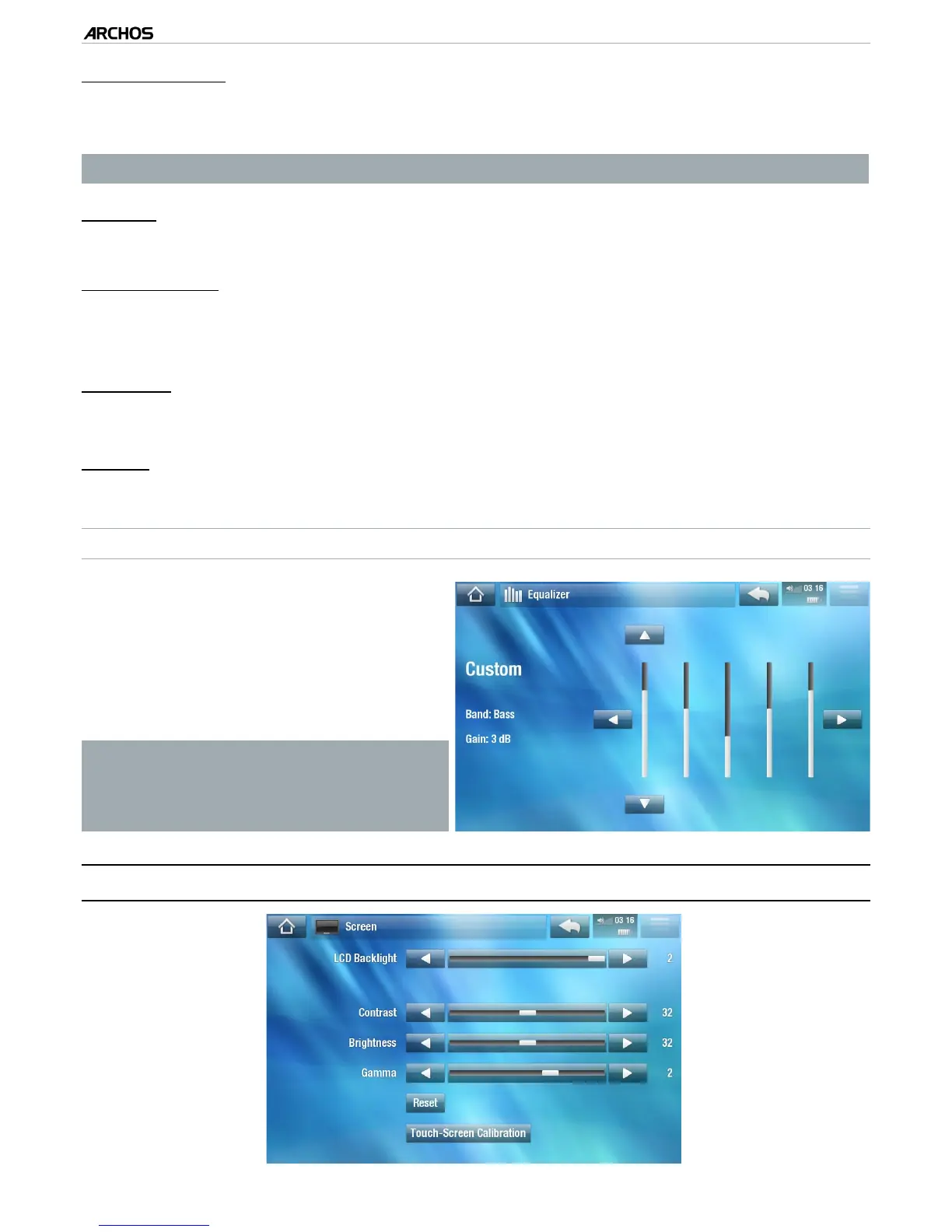
Your ARCHOS features a 5-band
equalizer.
Select a band (Bass, Mid. bass, Mid.
range, Mid. treble or Treble), then use
the up/down arrows to change the
gain level for these frequency ranges.
•
•
It is advised that you change these
settings while listening to music, in
order to be able to appreciate the
sound changes.
8.2 “sCreen” seTTIngs
-
-
-
-
-



 To Next Page