MANUAL V2.0
5 & 7
MAIN SETTINGS > P. 61
If the on-line version is more recent than yours, follow the instructions to down-
load it and copy it to your ARCHOS. Then go to “Tools” > “Settings” > “Firmware
and Plug-ins” and tap on “Firmware Update”.
Your Internet browser may warn you that the contents of the rmware le
could harm your computer. ARCHOS has taken precautions to insure that this
le will not harm your computer.
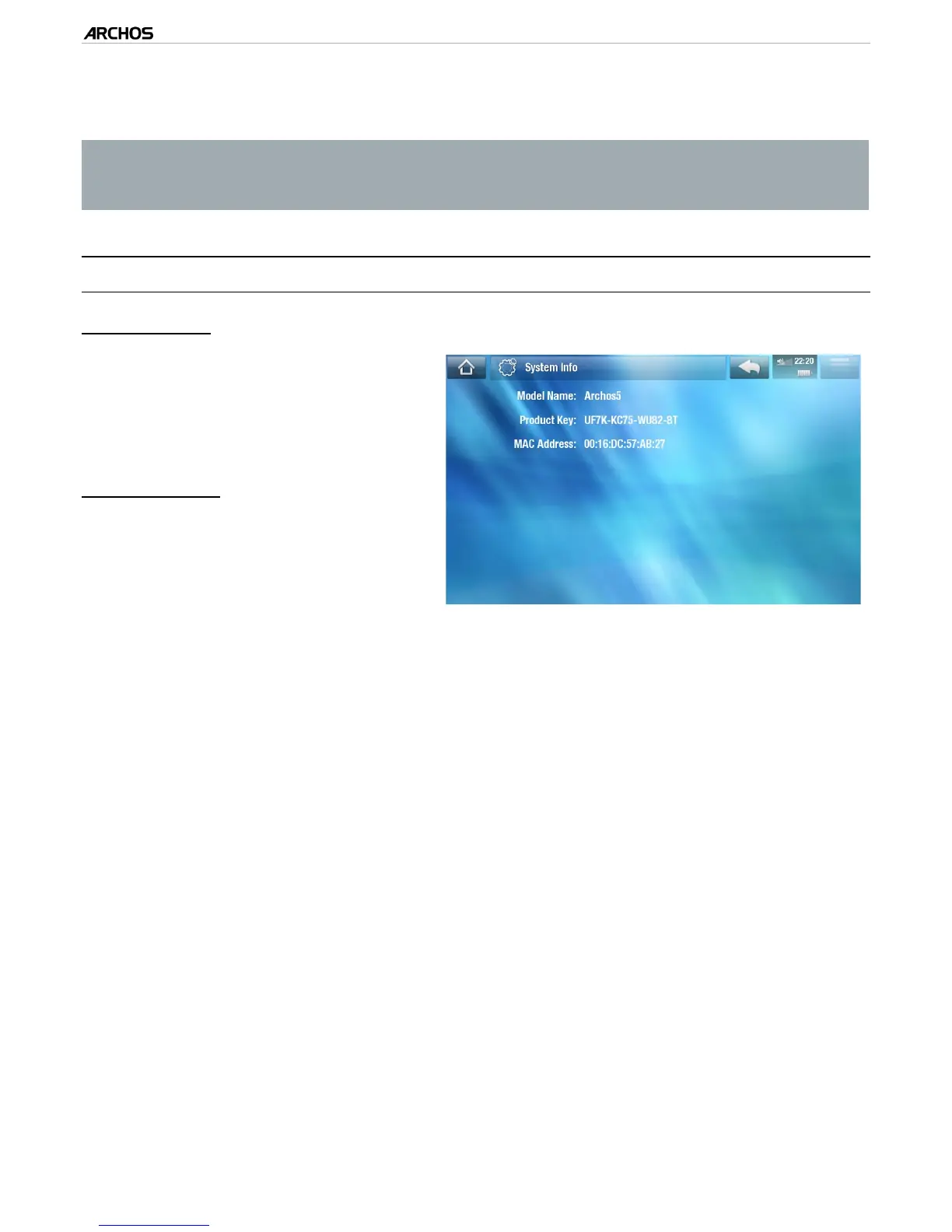
8.16 “sysTeM InfO” seTTIngs
“Product Key”
each ARCHOS has a unique number.
If you register your product on-line
using a computer (www.archos.
com/register), this number will be
needed.
“MAC address”
each ARCHOS has a unique MAC
address.
some WiFi networks lter MAC
addresses. You might need to com-
municate this address to the per-
son who manages the network.
-
-
-
-
4.



 To Next Page