NetDSL Manager
4-2
NetDSL Software User’s Guide
For further information on the available features, refer to the NetDSL Manager
Overview later in this section.
Note:
After the initial modem configuration, you can reset the modem
configuration parameters at any time from the Tools feature. Just select the Reset
Router/Mode tab, click on the “Delete Configurations and Reset to Manufacturer
Mode” box, and then click Reset Router.
Multiple Routers/Bridges Selection Window
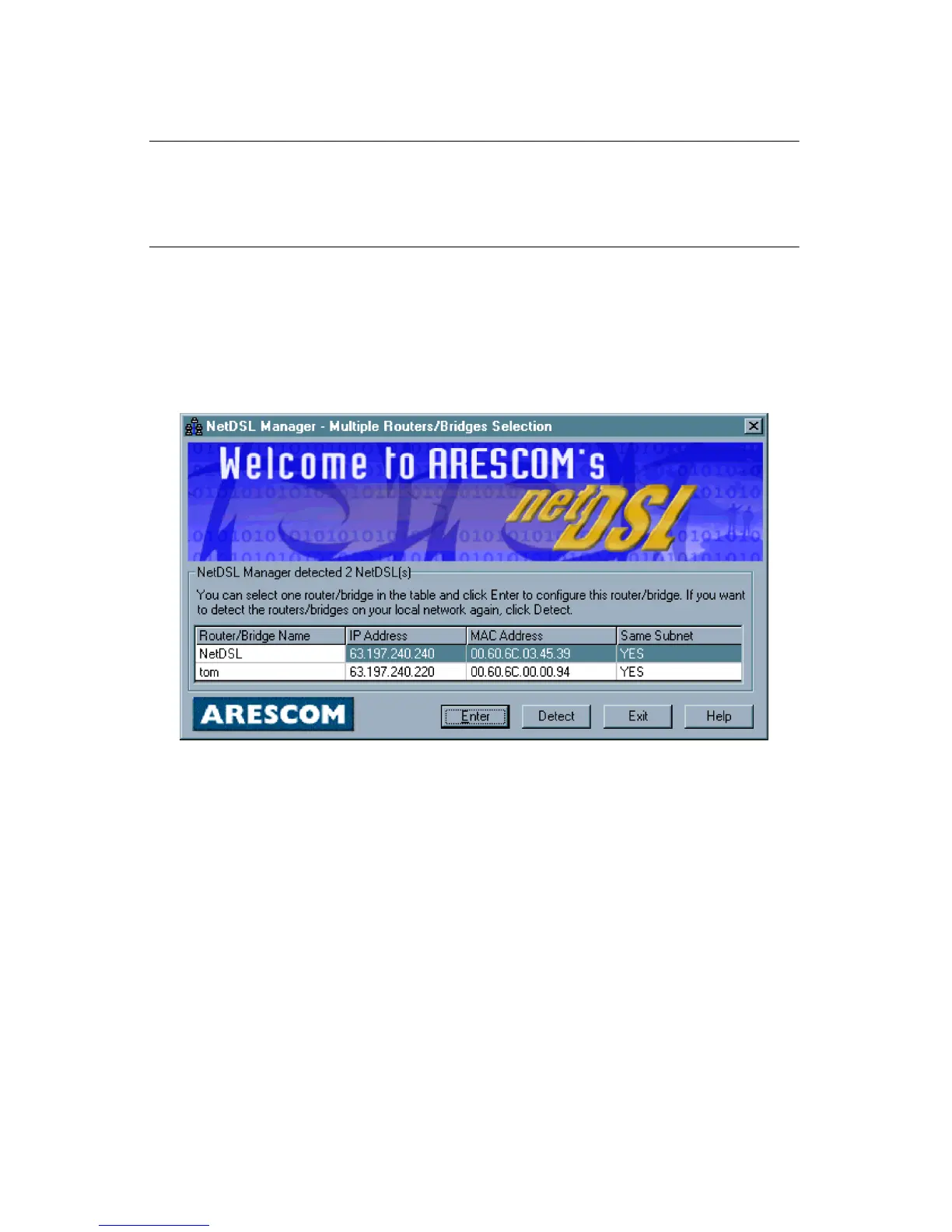
When you run the NetDSL Manager program the Multiple Routers/Bridges
Selection window will appear. The program is searching for the NetDSL modems
attached to the same network as your PC. This procedure may take a few
seconds.
Figure 4.1 Multiple Routers/Bridges Selection
After a few seconds, the NetDSL Manager will display a message indicating that
it has found one or more modems on your local network. The window lists all
detected modems, both configured and unconfigured. From this list you can
select the specific modem that you wish to configure or re-configure.
If the modem is not in the same subnet as the managing PC, a Subnet window
appears and allows you to choose three selections. You can Change the router’s
IP address and keep the other configuration, Reset the router to Manufacture
mode and delete the configuration, or Change your computer’s TCP/IP settings.
After you have made you choice, click Next to proceed.



 To Next Page