Operation Instructions
7
2.2.5 Quiet Mode
[Operation Instructions]
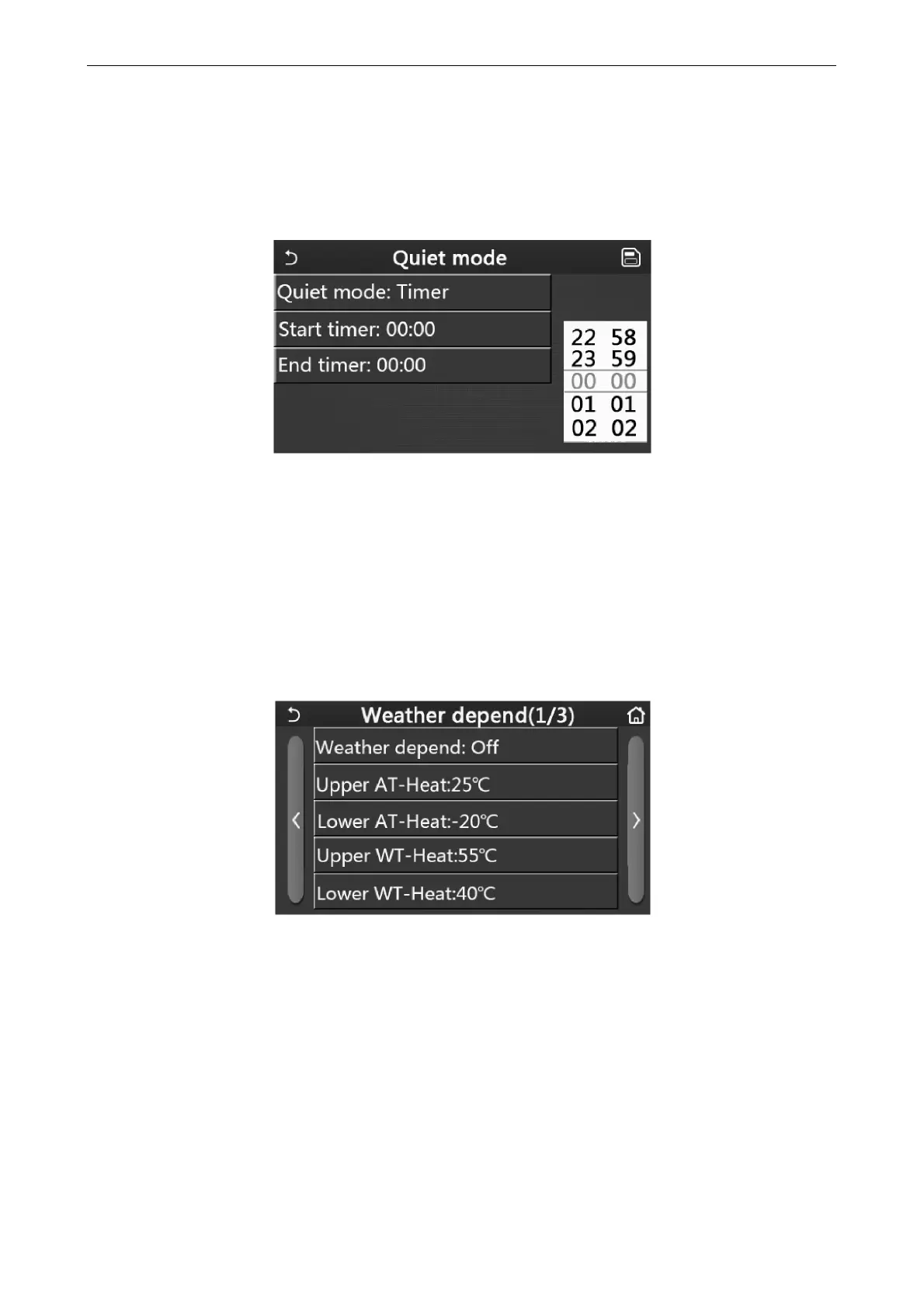
At the function setting page with the unit turned off, by touching “Quiet mode”, there will be a choice box, where
“Quiet mode” can be set to “On”, “Off”, or “Timer”.
When it is set to “Timer”, it is also required to set the “Start timer” and “End timer”. Unless otherwise stated,
otherwise time setting is all the same.
Timer for Quite Mode
3. This setting will be saved by touching the corner at the upper right corner.
[Notes]
It can be set under both ON and OFF statuses, but will work only when the main unit is turned on.
When it is set to “On”, it will automatically back to “Off” when the main unit is turned off; while it is set to “Timer”,
this setting will remain when the main unit is turned off and can only be canceled manually.
It will be memorized upon power failure.
2.2.6 Weather Depend
[Operation Instructions]
At the function setting page, by touching “Weather depend”, there will be a choice box, where it is able to set it to
“On” or “Off”, and also it is able to set the weather-dependent temperature.
Page of the Weather Depend
[Notes]
When “Weather depend” has been activated; it cannot be deactivated by ON/OFF operation but done manually.
It is available to find the weather-dependent target temperature at that parameter viewing pages.
When this function has been activated, it is still allowed to set the room temperature, however, this setting
becomes valid only when “Weather depend” has been deactivated.
This function can be set to “On” no matter the unit is turned on or off, but works only when the unit is turned on.
This function only works for air conditioning. Under the “Hot water” mode, it cannot be activated.
It will be memorized upon power failure.



 To Next Page