Operation Instructions
20
Only when “Remote sensor” is set to “With”, the “Ctrl. State” can be set to “T-room”.
2.4.9 Air Removal
[Operation Instructions]
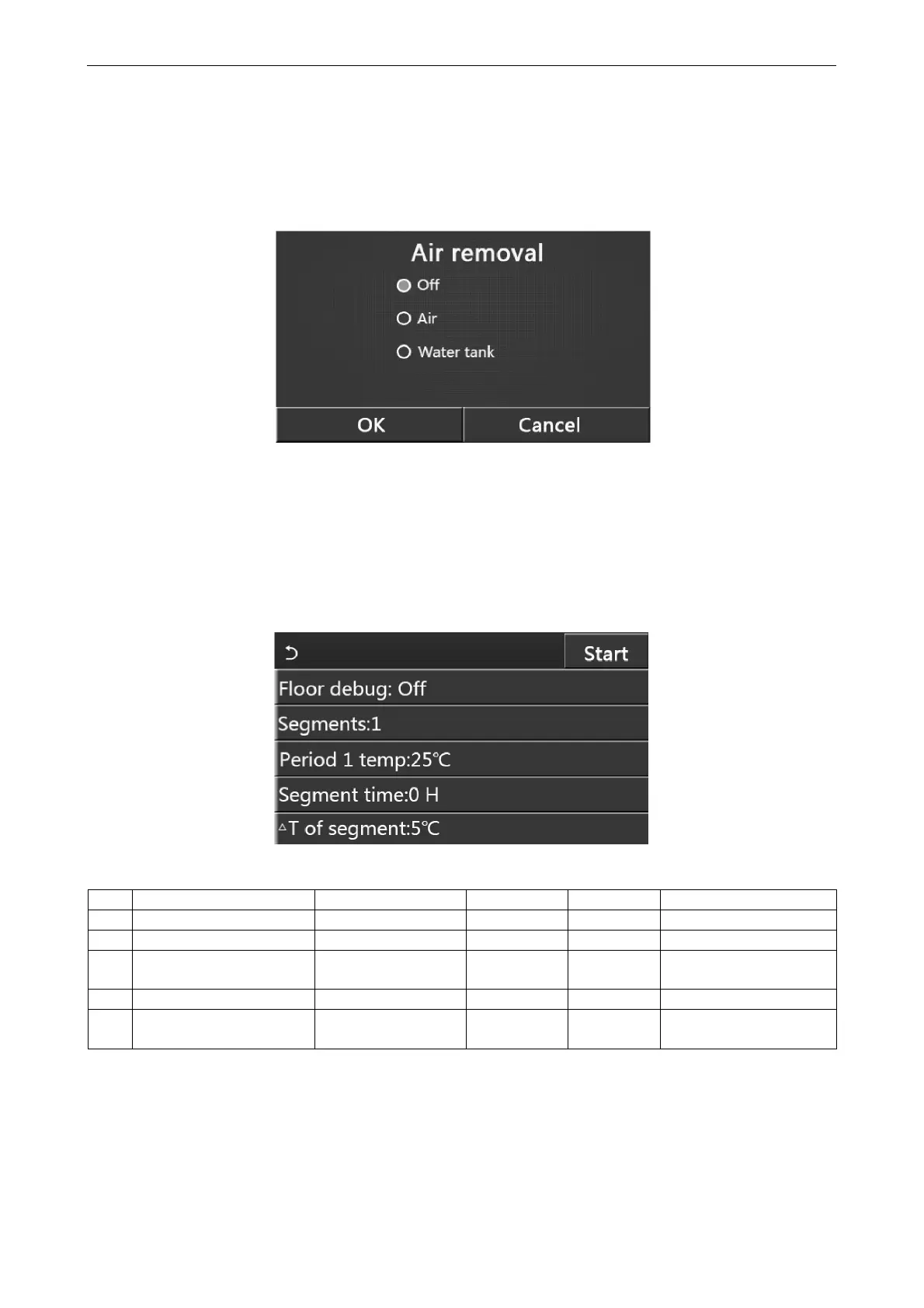
At the commissioning parameter setting page, by touching “Air removal”, the control panel will access to the
corresponding setting page, where it can be set to “On” or “Off”.
[Notes]
This setting will be memorized upon power failure.
This setting can be done only when the unit is turned off. And when it is set to “On”, the unit is not allowed to be
turned on.
2.4.10 Floor Debug
[Operation Instructions]
1. At the commissioning parameter setting page, by touching “Floor debug”, the control panel will access to the
corresponding setting page.
2. At the setting page, “Floor debug”, “Segments”, “Period 1 temp”, “Segment time”, and “ΔT of segment” can
be set.
No. Full Name Displayed Name Range Default Accuracy
1 Floor debug switch Floor debug On/Off Off /
2 Quantity of segments Segments 1~10 1 1
3
Temperature of the first
segment
Period 1 temp
25~35°C /
77~95°C
25°C / 77°C 1°C
4 Duration of each segment Segment time 12~72 hours 0 12 hours
5
Temperature difference of
each segment
ΔT of segment
2~10°C /
36~50°C
5°C / 41°C 1°C
3. When this setting is finished, by pressing “Start” this setting will be saved and start working, and by pressing
“Stop” the function will halt.
[Notes]
This function can be activated only when the unit is turned off. When it is done with the unit keeping “On", a
window will pop up, saying “Please turn off the system first!”.



 To Next Page