ARGUS service
14.203.B_A707 en.SM.V4.3X ARGUS Medical AG 28.03.06 / PJ 23 / 48
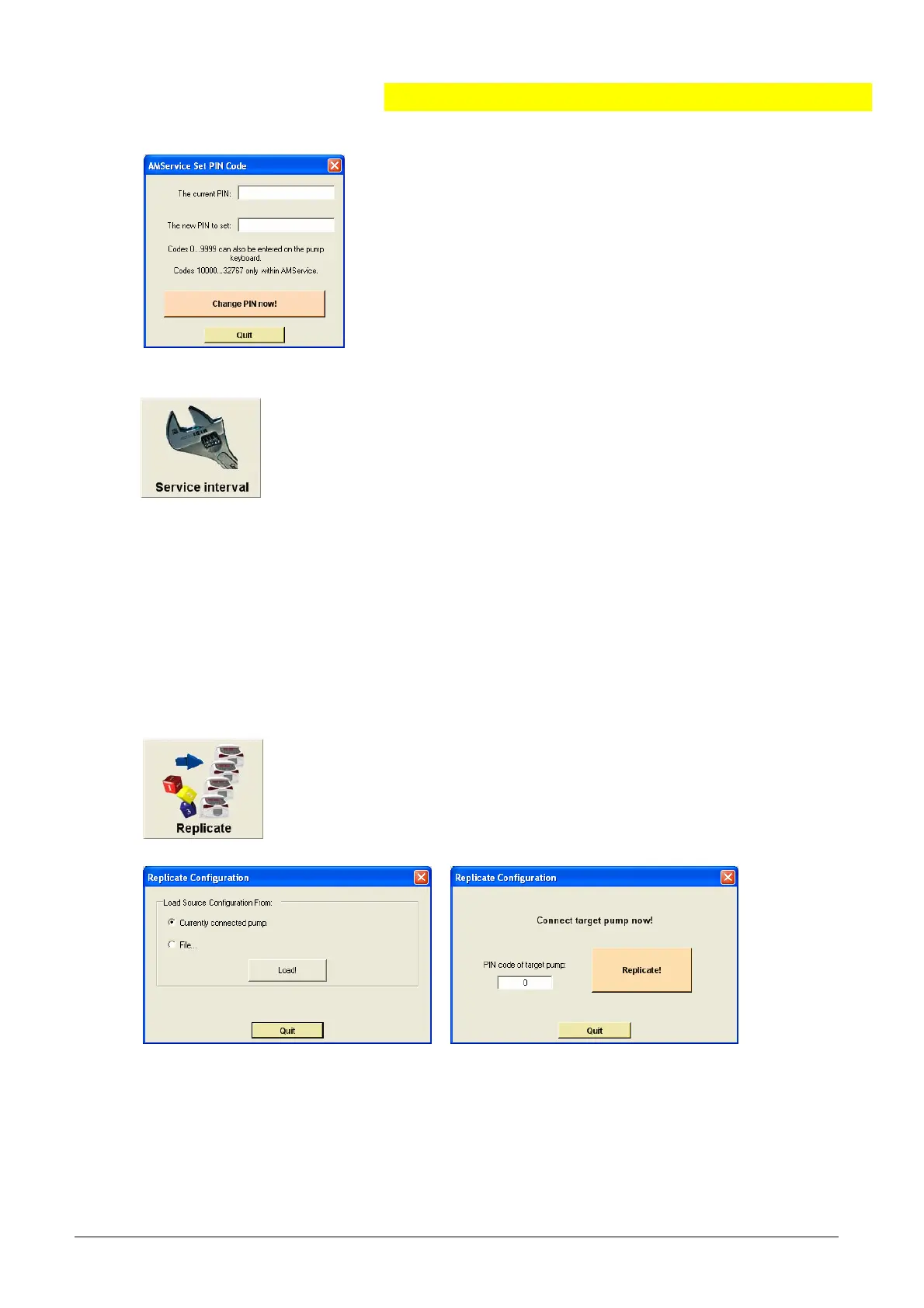
The setting of a PIN code prevents access to the pump
configuration of third persons.
The default PIN code is “0” by ex-works settings.
Please note: The PIN code corresponds with the PIN
code mentioned in chapter 2.3.2. If a PIN code greater
than 9999 is entered, the pump configuration can only
be accessed using the ARGUS service PC tool.
4.4.3. ARGUS service - Toolbox - Service interval
Use this feature to set a reminder alarm on the pump for the next
service interval.
A pending reminder alarm will be shown on the pump display after
power up by a flashing “CtrL” text accompanied by an acoustic
sound.
The point in time when an active reminder alarm occurs, is given by the settings of
the configuration (#393 and #394) and the pump internal clock. Any value higher
than 0 on those indexes will release the reminder alarm after the service interval
has elapsed. Please check those settings first, before you set the reminder alarm!
Please note: By the ex-works settings, the reminder alarm is disabled.
4.4.4. ARGUS service - Toolbox - Replicate
Use this feature to replicate fast and easily pump configuration
from a saved configuration file or from a pump to another. A con-
figuration can only be replicated if the saved configuration (and
pump type) corresponds with the firmware of the connected pump
in the first 2 digits (for e.g. 4.30 to 4.31 is possible).
Please note:
The pump internal clock and remainder alarm settings must be done individually on
each pump!


 To Next Page