MAINTENANCE
14.164.A_A707en.SM.V1.01.doc ARGUS Medical AG 10.02.04 AS 22 / 38
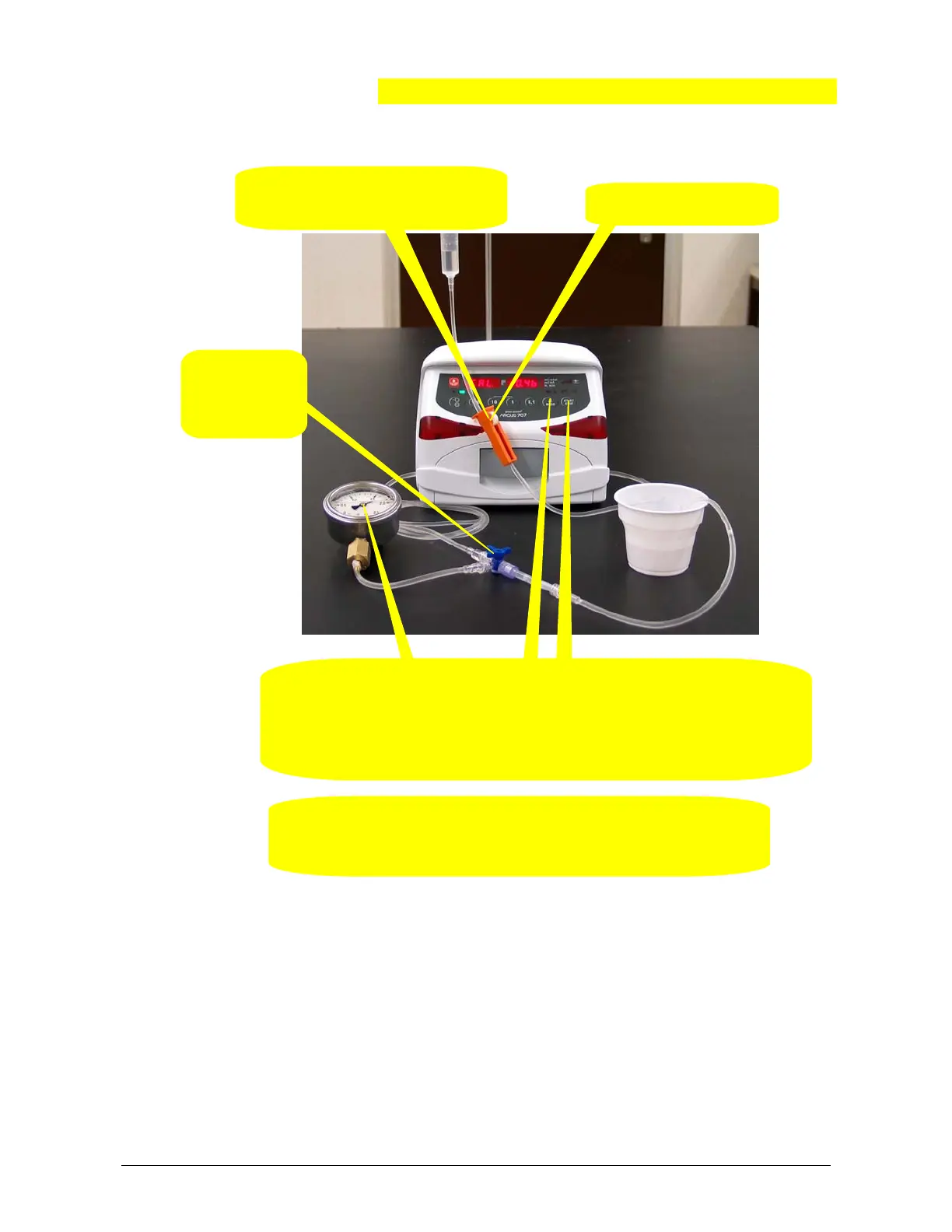
3. Restart a
pressure
build-up.
5. Switch the pump off and insert the IV-set in the normal direction!
Now, perform a pressure control measurement according to chapter "
Pressure control measurement".
4. Check for the pressure gauge display which must increase.
Press the "START / STOP" key when a pressure of 0.4 bar has been reached.
Press key “MODE”, the display shows “CAL. –1.4b”.
Repeat this point at a pressure of 1.4 bar.
5.3.6. Calibrating the upstream sensor part 2 (left side)
Remark(s):
- By pressing the key "1" the pump display changes to “xxxx Pr S” where the
left display shows the actual downstream pressure sensor signal in mV.
Return to the original state by pressing the key "1" again.
- The procedure for the upstream sensor calibration part 2 is equal to the proce-
dure for the downstream sensor, but with inverse delivery direction.
1. Close the roller clamp and install
the tube in the reverse direction.
l
h
r
2. Open the roller clamp.


 To Next Page