ARIESAUTOMOTIVE.COM • NEED ASSISTANCE? • 877.287.8634 • AL234045-INS-RE • PAGE 2
Step 1
Locate the five mounting tabs along
the bottom edge of the vehicle body.
This installation will use the first,
second, fourth and fifth mounting tabs
Step 2
Starting at the front driver side
mounting location, locate the threaded
hole on the inside of the body panel.
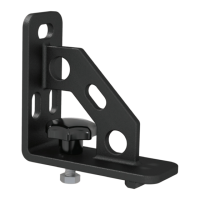
Attach a universal mounting bracket
to the body panel using an M8 hex bolt
with a lock and flat washer.
Snug the hardware,
but do not fully tighten.
Step 3
Rotate the bottom of the bracket to
the side to expose the hole in the
mounting tab.
Slide an M8 clip-nut over the
mounting tab and rotate the bracket
back into position.
Secure the bracket with a second
M8 hex bolt, lock washer and flat washer.
Snug the hardware,
but do not fully tighten.
Step 4
Repeat steps 2 and 3 to install
the second bracket over the second
mounting tab location from step 1.


 To Next Page