ARIESAUTOMOTIVE.COM
•
NEED ASSISTANCE?
•
877.287.8 634
•
P1055-INS-RA
•
PAGE 4
Driver Side Installation Pictured
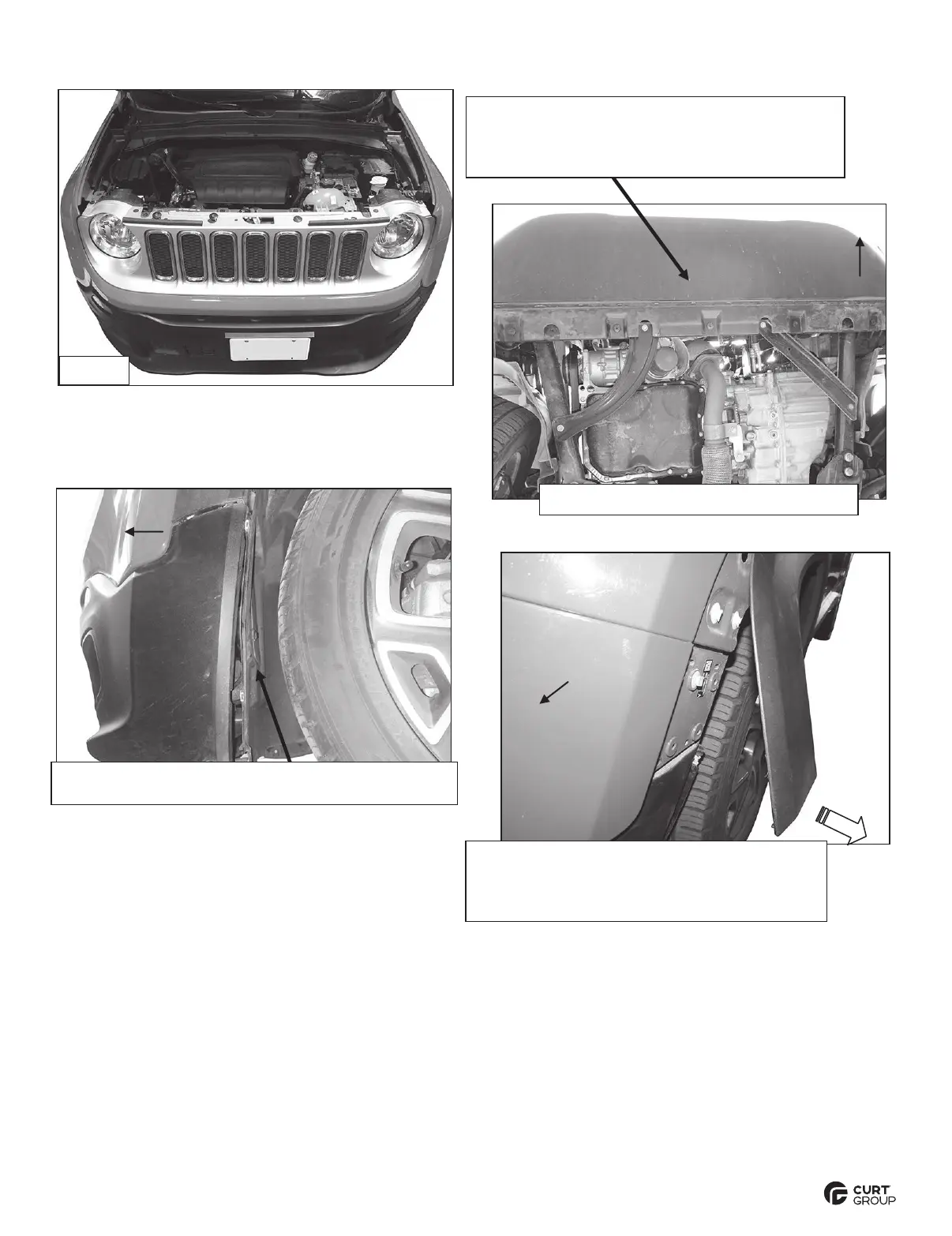
Remove hardware attaching the top of the grille
to the radiator core support. Remove the
hardware attaching the bottom of the bumper
cover to the bottom of the radiator core support.
(Fig 4) Use panel tool (not included) to release
plastic clips. Carefully pull fender flare
straight out to access (4) screws attaching
bumper cover to fender.
(Fig 3) Remove hardware attaching fender to fender
liner. Pull back liner to access and unplug lights
(Fig 2) Bottom of bumper cover pictured


 To Next Page