ARIESAUTOMOTIVE.COM
•
NEED ASSISTANCE?
•
877.287.8 634
•
P1055-INS-RA
•
PAGE 5
Driver Side Installation Pictured
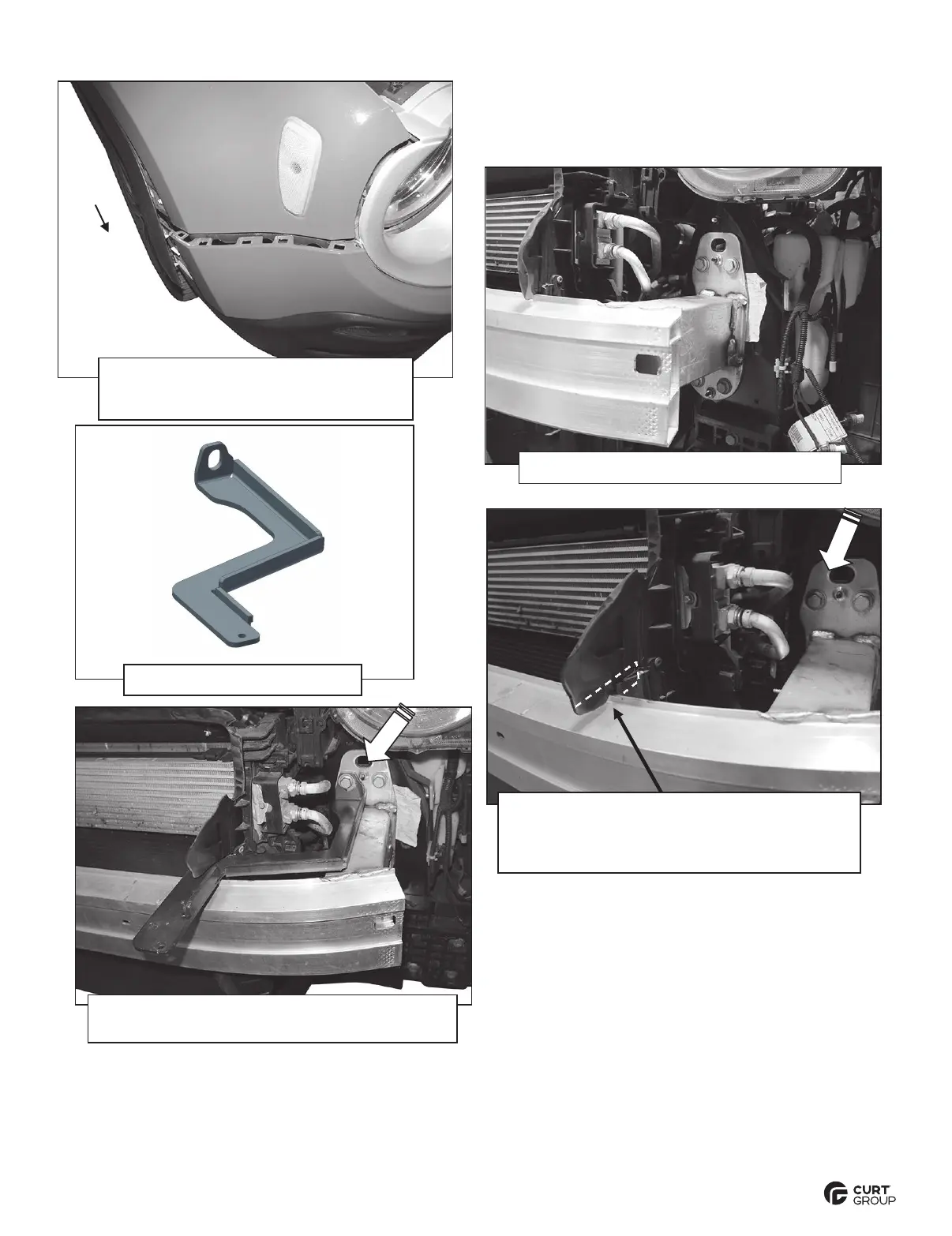
(Fig 5) With assistance, carefully pull
bumper cover and grille assembly off of
vehicle (passenger/right side pictured)
(Fig 7) Driver/left Top Bracket
(Fig 8) Remove hex bolt (large arrow). Select
the driver/left Top Mounting Bracket. Hold
Bracket in position to determine area to cut
from plastic air deflector (white dashed line)
(Fig 6) Driver/left impact bumper bracket
(Fig 9) Reuse factory hex bolt (arrow) to attach
driver/left Top Bracket to bumper bracket


 To Next Page