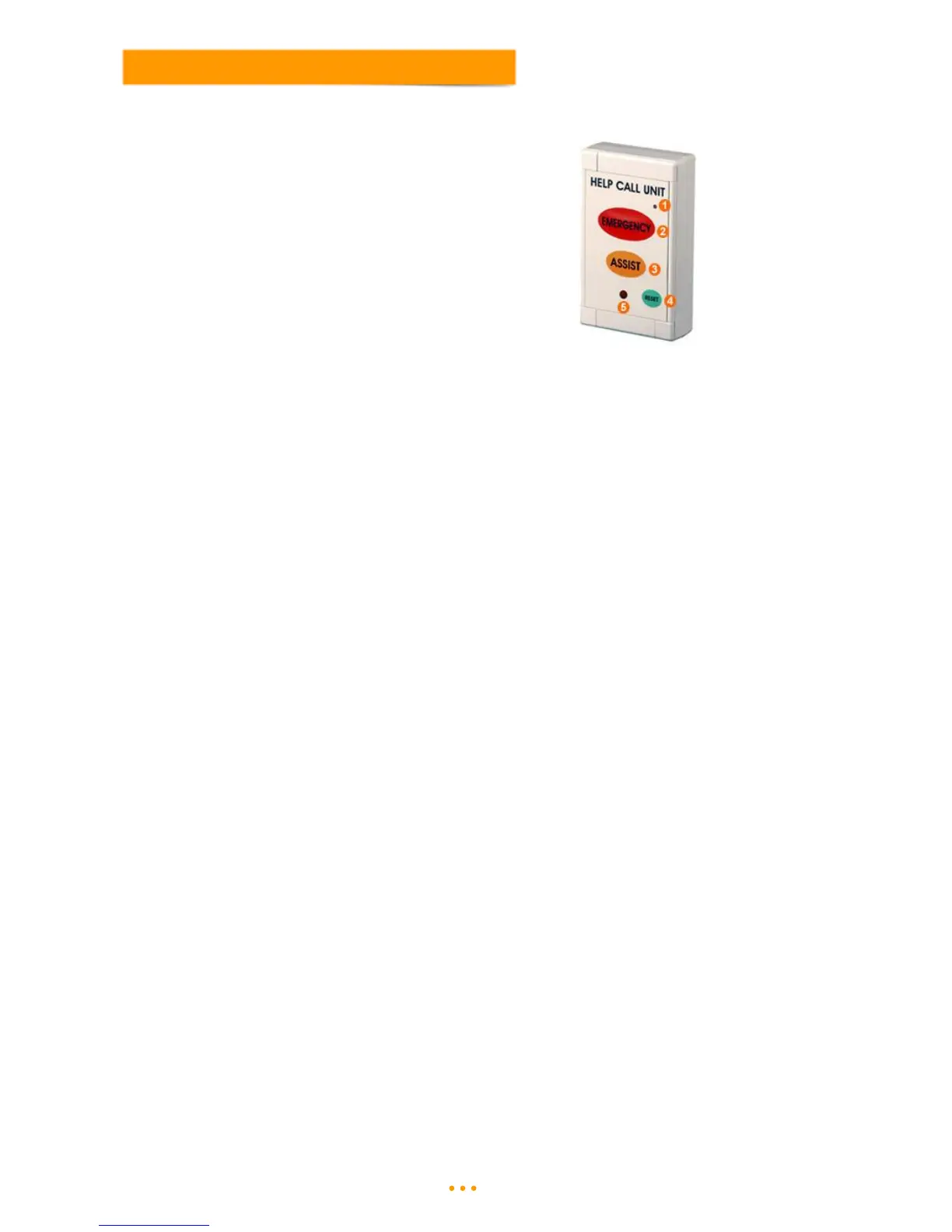
Help can be requested by pressing either the RED (Emergency) or ORANGE (Assistance) buttons located on
the front of the unit.
3.1 Call Levels
Assistance - Press the Orange button on the unit.
Emergency - Press the Red button on the unit.
3.2 Resetting Call Points
Press the Green Reset button on the front of the unit.
Once a Call Point is triggered it will continue to transmit until it is reset. It is therefore important to reset a call
point when its Call or Alarm is being dealt with to avoid confusion for other staff and to save them any
unnecessary visits.
Note: If the reset signal is not received by the control panel, it will be necessary to press the reset button again.
3.3 Battery Replacement
To replace the battery in the Help Call units following a Low Battery fault, remove the four corner screw covers
with a small flat bladed screwdriver. Un-screw the four screws to release the front of the unit.
Remove the exhausted battery and dispose of in a safe way and replace with a new battery. Replace the
front cover and screw the front closed and replace the four corner screw covers.
The Help Call units require one battery per unit: re-order code: BAT-AAL.



 To Next Page