14
Electrical connection continued…
Sensor taps stickers: To complete the installation, 2 stickers are
provided which can be stuck onto a wall or panel in close proximity to
this product to advise the end user that this product sensor operated.
6 TAP OPERATION
Sensorow 21 products use an Infrared Sensor to activate the system.
The sensor is triggered by something reective (normally hand movement) in the Sens-
ing Region.
75 mm
Move hands towards the spout: Water
will ow.
Move hands away from the
spout: Water will continue
to ow for a second or
two, and then turn o.
Sensor is factory set to
Proximity Mode, & is
designed to trigger the water ow
only when a hand (or similar) is in
the Sensing Region – just in front
of the sensor / outlet.
For this range of products, the sensor
is located near the ow outlet and faces
downwards, towards the basin.
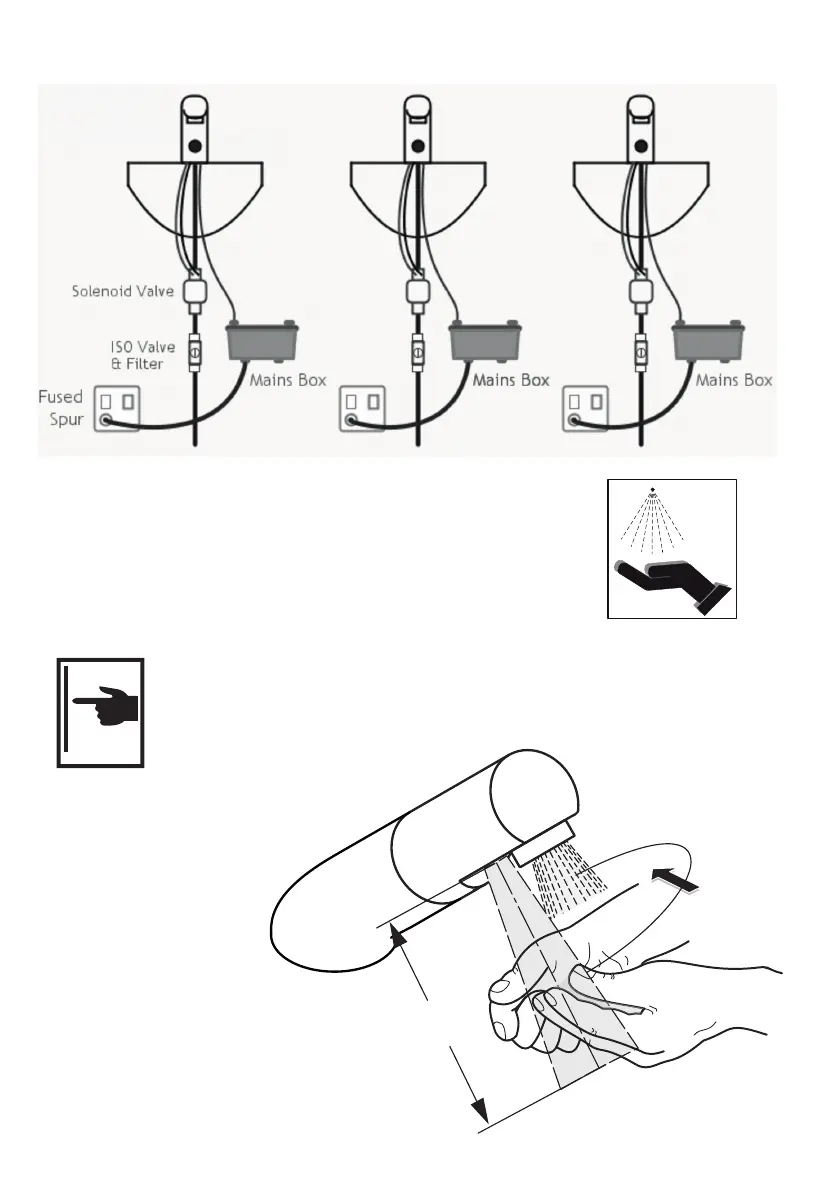
Example above of an installation where PSUs are all mains versions.



 To Next Page