CHARGING YOUR ARMITRON PRO-FIT
®
Your ARMITRON PRO-FIT
®
must be charged before you start using it. In
addition, you should charge your ARMITRON PRO-FIT
®
when a flashing
empty battery symbol appears on the display. This flashing symbol is
to let you know that the battery power is down to a few hours.
To charge your ARMITRON PRO-FIT
®
, follow the steps below.
1. Remove your watch module from the metal bangle or silicone case.
2. Plug your charging cable into a USB port on your computer.
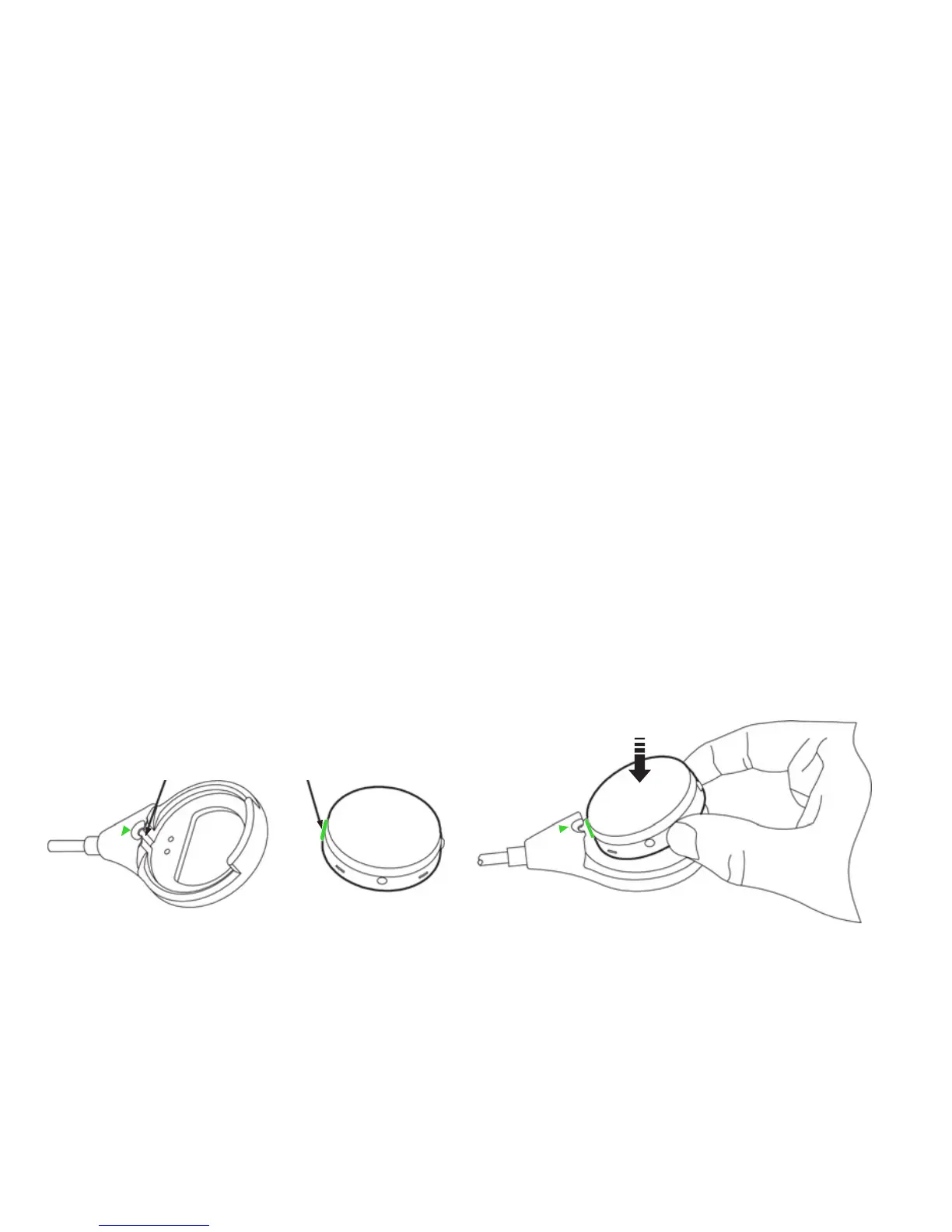
3. Insert your watch module into the charger as per the instruction
below and attached to the charger.
Groove Green RidgeGroove Green Ridge
1. Align the Green Ridge on module to fit
Groove on charger.
2. Slide module into charger
as pictured and press down.



 To Next Page