SETTING THE TIME
You do not need to set the time manually. When synchronizing the data
on your watch to the app on your phone, the time of your phone will
be synchronized to the watch.
For changing time zones, re-sync your watch with your phone after your
phone is opened and has acquired the new local carrier time.
Possible slight fast/slow timekeeping of your watch is auto-corrected
when you re-sync it with your phone.
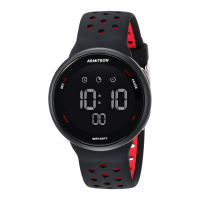
TURNING YOUR ARMITRON PRO-FIT
®
OFF
Press and hold the button at the 3 o’clock position for 5 seconds.
MODULE BUTTON OPERATION
•
Press the button at the 3 o’clock position repeatedly to loop between
the following displays:
“ARMITRON” logo
•
Time & Date
•
Calories burned
•
Steps taken
•
Distance traveled
•
Time sleep / deep sleep




 To Next Page