installation &
operating instructions
ips 4000 controller - Integrated pumping
system for variable primary applications
10
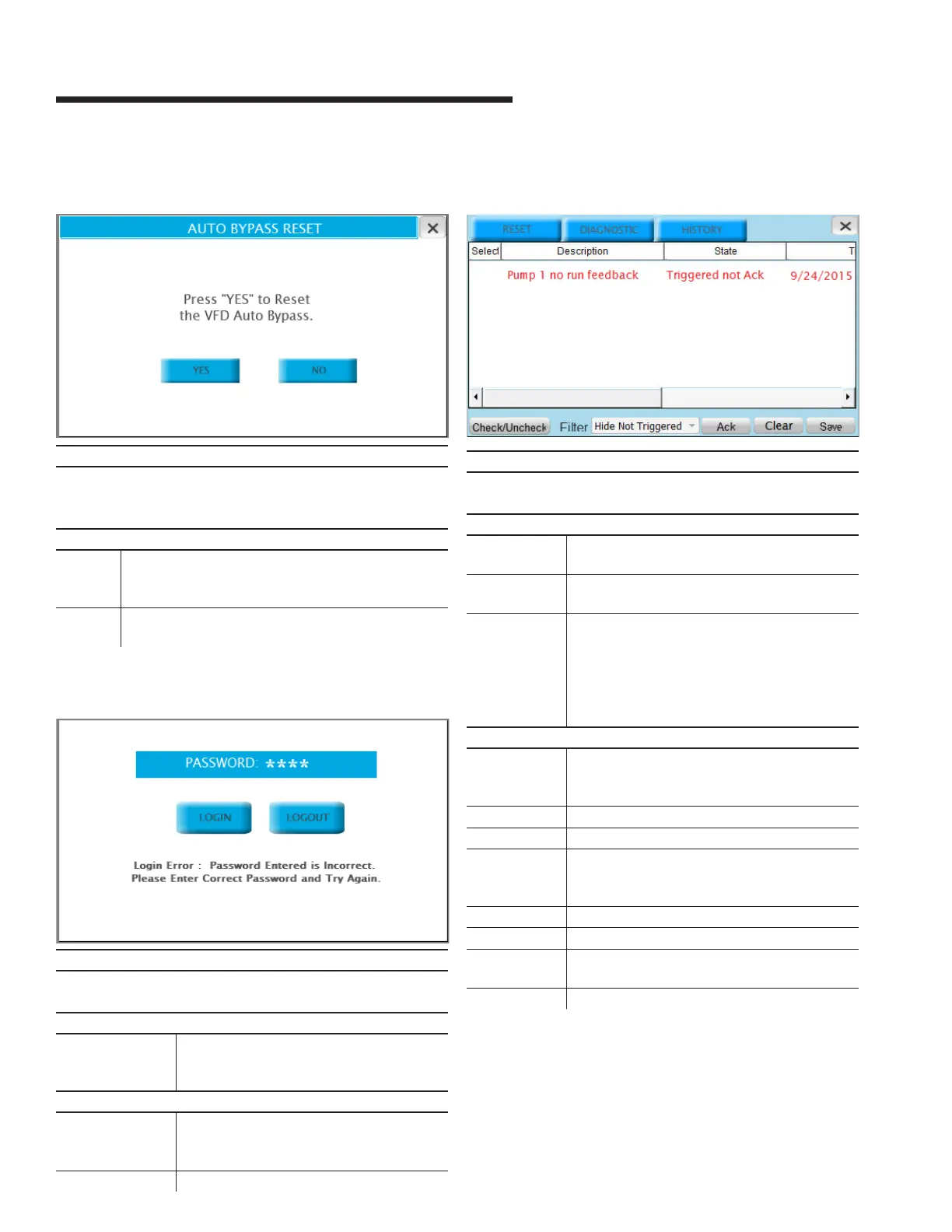
3.1.7 auto bypass reset
Description
This screen allows the operator to reset the pump auto bypass
condition. Press the x on the top right corner to go back to the
previous screen
Buttons
yes Resets the auto bypass. If the conditions that caused
the auto bypass don’t exist anymore, the pumps will
resume normal operation
no Closes the auto bypass reset screen and returns to the
previous screen
3.1.8 login screen
Description
This screen allows the operator to login to the desired level by
providing the appropiate password
Data
password Shows the encoded password. Touching
it brings up a numeric keypad to enter the
password
Buttons
login If the password entered is valid, touching this
button will change the screen to the setup
menu of the corresponding level
logout Changes the screen back to the main menu
3.1.9 alarm screens
Description
This screen shows the current alarms in the system. Press the
x on the top right corner to go back to the previous screen
Data
Select Select the alarm in order to be acknowledged
and reset
Description Shows the description of the alarm. The possible
alarms are shown below in section 1.2.1
State Provides information about two alarm conditions:
1 Triggered or Not Triggered (Triggered
means that the condition that generates
the alarm is still present, the alarm can be
acknowledged but not reset)
2 Acknowledged or Not Acknowledged
Buttons
reset Resets the alarms.
In order to clear from the list see Reset button
below
diagnostic Brings up the plc diagnostics screen
history Brings up the alarm history screen
Check/
Uncheck
Selects/unselect the alarms. Only selected
alarms can be acknowledged and cleared from
the list
filter Not used
ack Acknowledges the selected alarms
Clear Clears the selected alarms that are not
triggered
Save Not used


 To Next Page