installation &
operating instructions
Design Envelope 4300 & 4380 Vertical
In-line pumping unit with ivs drive
40
4.3.10 touch screen calibration
If you are having issues with the touch screen, including:
• Being unable to access items to the edge of the screen
• Some buttons from the display are unresponsive
The touch screen may require re-calibration. To calibrate the
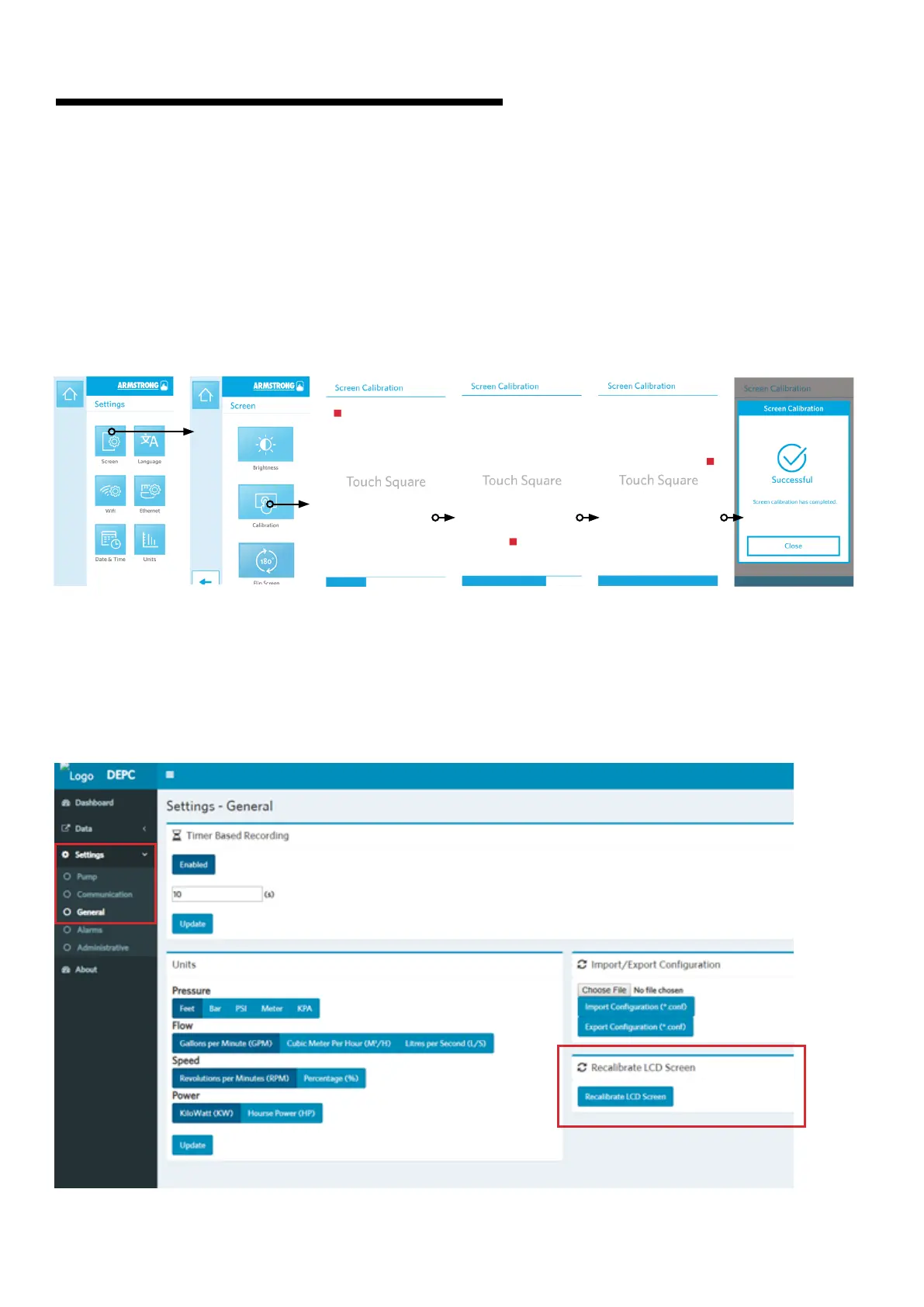
touch screen, go to Settings -> Screen -> Calibration
Follow the following 3-step calibration sequence (touching
the squares) to reset the display coordinates.
If you are unable to access the Calibration function from the
touch screen itself, connect the pump to the webserver and
go to Settings -> General -> Recalibrate LCD Screen. This will
trigger the calibration sequence on the touch screen of the
pump. Follow the above 3-step calibration sequence to reset
the display coordinates.


 To Next Page