EXPERIMENT
2. PULSE
WIDTH
MODULATION
1.
Lower
the PULSE
WIDTH eontrol
slowly
thereby
gradually
increasing Lh$
width
of the putse wdv«
untU il becomes a
square
wave again with the PULSE
WIDTH slider
all the way down.
2. If you move the PULSE
WI
DTH cont rol up and down
while holding]
down
a low note, you will heat thai the
ehaniginq
puEse width creates a kind
of chofus-like
effect.
The fasier you move the
PULSE
WIDTH
control, the more
pronounced
the effect. By changing
or
"modulating"
the pulse width while
you
play,
you are creating another waveform
called the
"MODULATED
PULSE
WAVE.
"
S. The ODYSSEY
has
special PULSE WIDTH
MODULATION
controls that facilitate the generation
of
the modulated
pulse waveform, Bring
the
blue
PULSE
WIDTH control all the way
down,
and raise
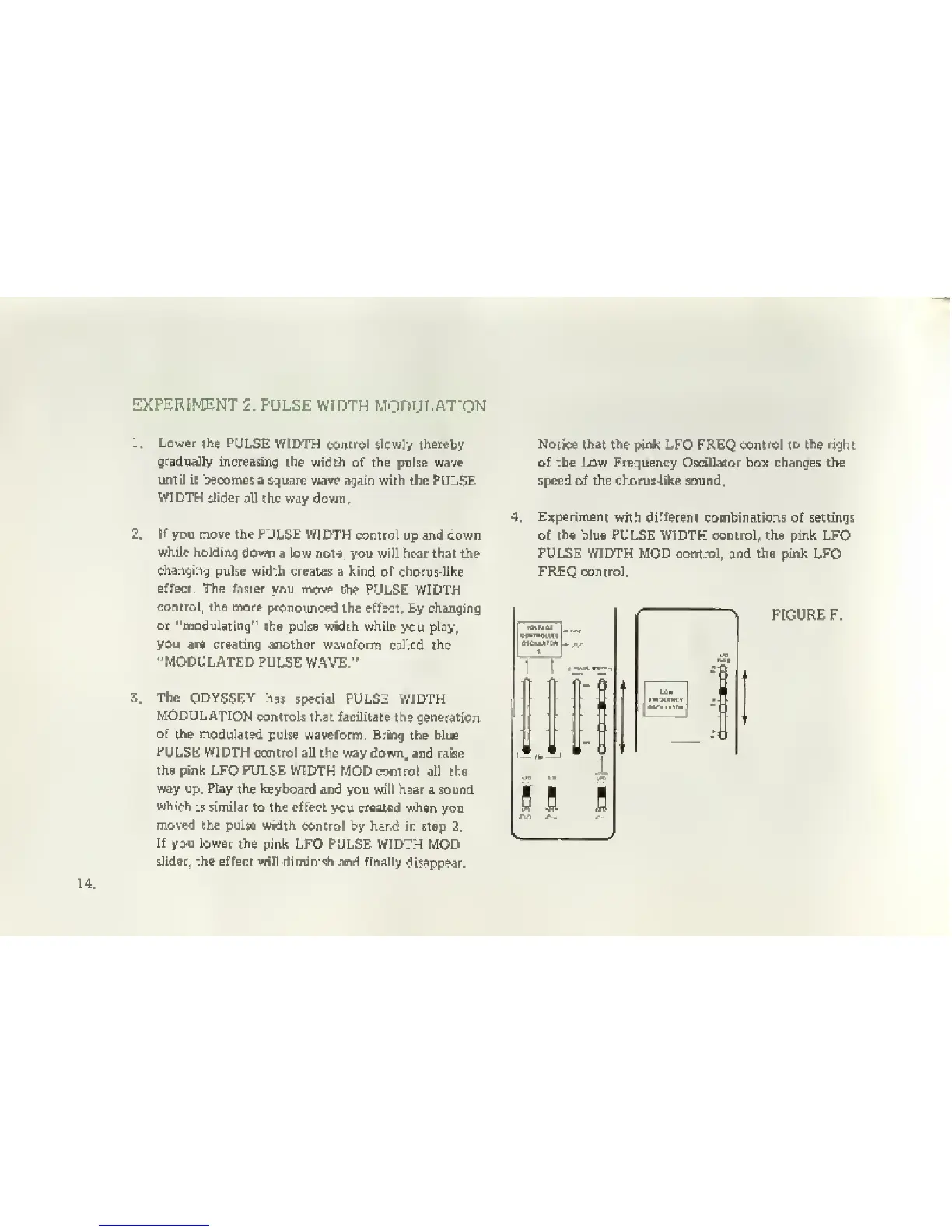
the pink LFO PULSE
WIDTH
MOD control atl the
way up. Play
the keyboard
and you will heair a sound
whith
is similar to the effect
you
created
when
you
moved the pulse width
control
Ijy
hand in step
2,
If you lower
the
pink LFO PULSE WIDTH MOD
slider, the
effect
will diminish and finally
disappear.
Notice that the pink
LFO FREQ
control to tfte right
of the Low
Frequency
Oscillator box changes the
speed of the chorus^iike sound.
Experiment
with different
combinations of settings
of
the
blue PULSE WIDTH control, the pink LFO
FULSE WIDTH MOD control, and the pink
LFO
FREQ control,
J,.4
tt'
^
FIGURE F.


 To Next Page