vnilopan and close the VGF automatically, producing
a "wow" sound.
ExperJTn&ntateoni
with thssatEin^ of
tli& ADER slider will show the simsliarit ies between
ihe response of
this control
and the rMponse of the
ADSR
dider under the VCA.
Lower the RESONANCE
sSid&r
^nd ejcperiment with
the different settings of the ADSR
slidet under the
VCF.
Trv
changing the settings
of the
ffiur ADSR
ENVELOPE GENERATOR
controls.
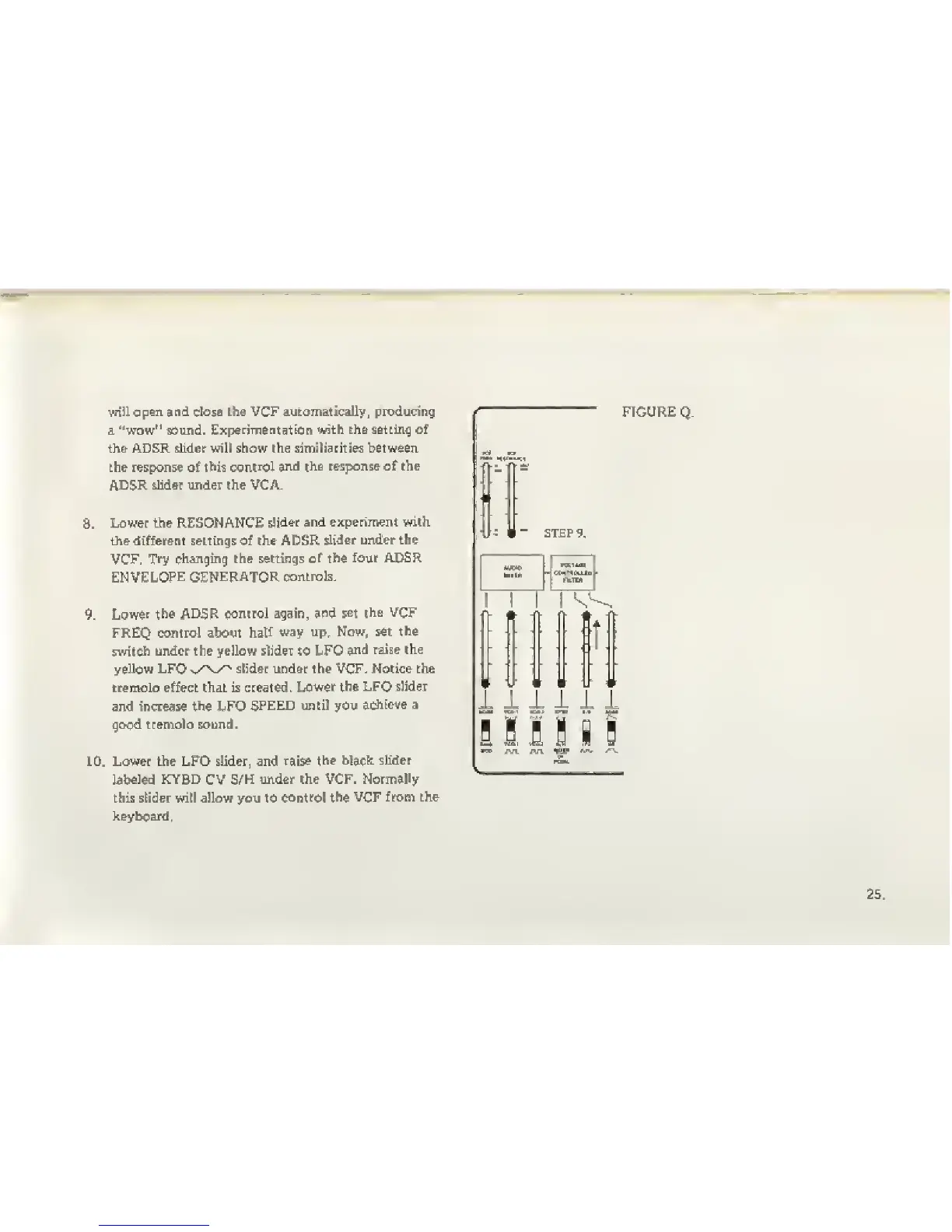
Lower
the
ADSR
conirol again,
^nd set
the
VCF
FREQ control about
half
way up. Now. set
the
switch
under the yellow slider to LFO
and raise the
yellow LFO
^.y\^^
stider under the VCF. Notice the
iremolo effect that is created.
Lower the LFO slider
and increase
the
LFO
SPEED until you
adiicve a
good tremolo sound.
>.
Lower the LFO slider, and raise
the black
slider
labeled KYBD CV S/H
under the VCF. Normally
this slider will allow you to
control the VCF
from the
]c
ay
beard,
FIGURE
Q.
1 1
1
V •
-f
1
^'-,
|t|
ill
u
uu
1
1 1
1
i i
B
s H 1 i !



 To Next Page