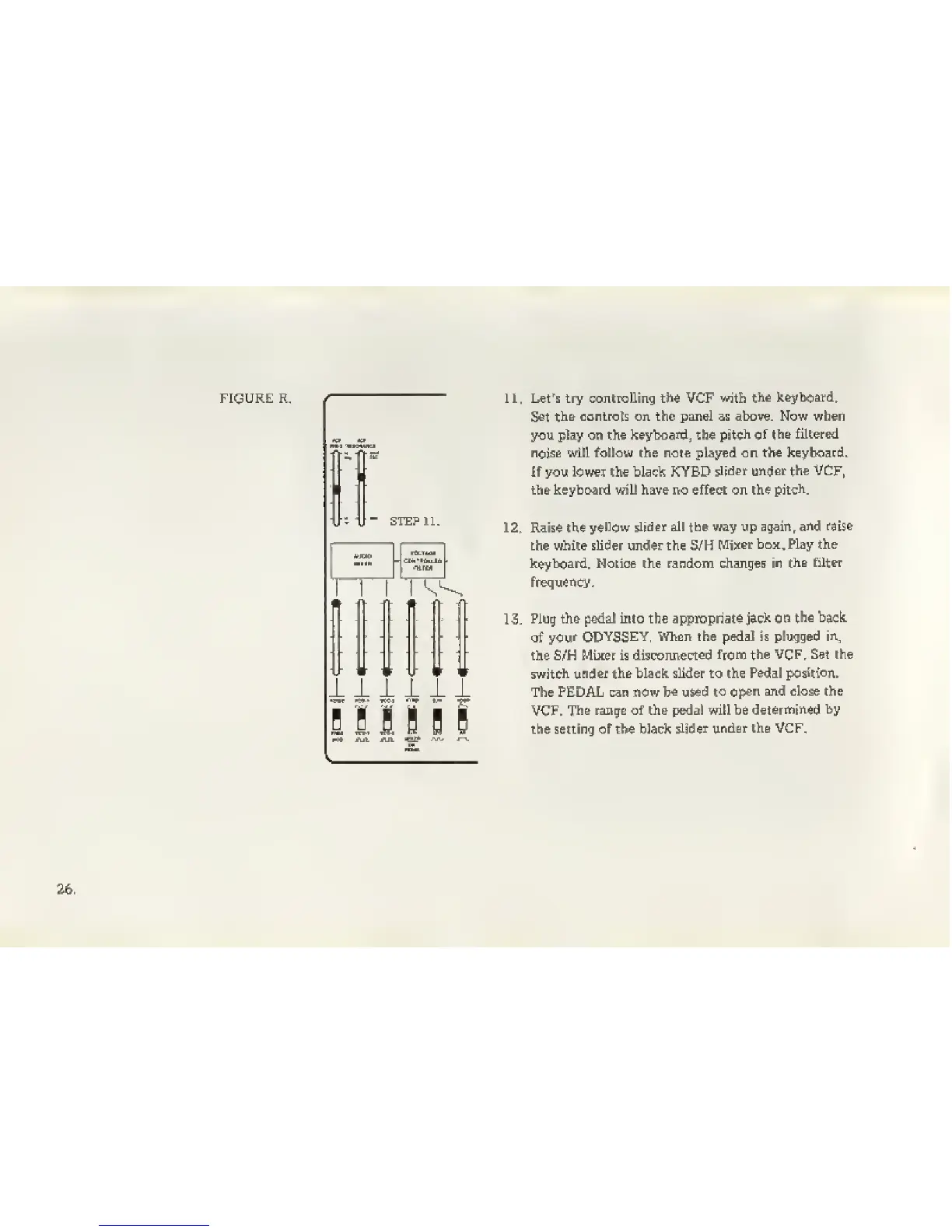
11. Let's try contralling the VCF
with
the keyboard.
Set th&
contrcils on the pan&l ss above. Now when
you pky on the
keyboard,
the
pitch of
th& filtered
noise will follow the note played on the
keyboard.
If you lower the black KYBD
slider under the VCF,
the keyboard will have no effect on the
pitch.
12. Raise the
yellow slider all the v;ay up again ^
and raise
the while slider under the
S/H
MiJter box. Play the
keyboard. Hotice the random changes
in
the filter
frequency.
1 3.
Plug th& pedat into the appropriate
jack on
the baek
of
your ODYSSEY,
When the pedal is plugged
in,
the S/H Mixer is
disconnected
ftono the VCF, Set the
switch
under the black sUder to the
Pedal position.
The PEDAL can now
be
used
to
open and close the
VCF,
The range of the pedal will be
determined
by
the setting of the black
slider
under the VCF.


 To Next Page