EXPERIMENT 2. THE
VCA
1. Set the oonlrols on your
ODYSSEY to match the
seltings in Figure C, This
lim&, raise tb&
white
NOISE
slider
under the AUDIO
MEXER. As before, when
you
hit e
not& on
the
kej-board, yOu will hear the
noise sound.
2.
While
hotting down a note
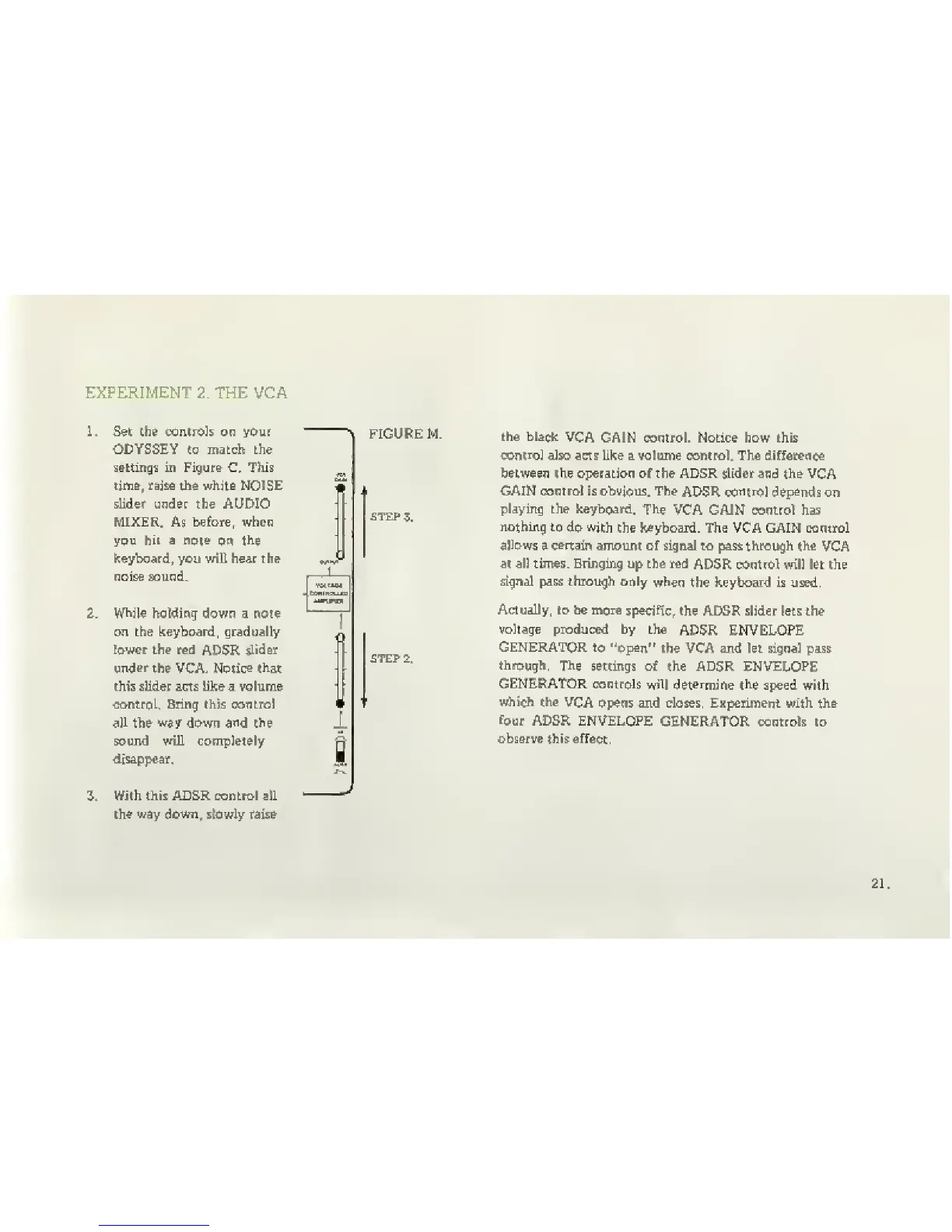
on the keyboard, gradually
[ower the red
ADSR
slider
under the
VCA.
Notice that
this slider acts lite a volume
control. Bring this control
all the
w5y
down
and the
sound will completely
disappear,
3.
With this ADSR controJ aHl
the way
down„
sbwly
raise
\
FIGURE M.
the black
VCA
GAIN control. Notice how this
control
also acts like a volume control. The difference
between the operation of the ADSR slider and the
VCA
GAIN control is obvious. The
ADSR control depejids
on
playing the keyboard.
The
VCA GAJN control has
nothing to
do with
the keyboard. The VCA GAIH control
allows
a
certain
amount of signaJ to pass through the
VCA
at all times. Bringing up the red
ADSR control will let the
signal pass through only
when
the keyboard is used.
Actually, lo be nxre
specific,
the ADSR slider lets the
voltage produced by the
ADSR ENVELOPE
GENERATOR to
'^open"
the VCA and let signal pass
through. The
settings of the ADSR ENVELOPE
GENERATOR controls
will determine the
speed with
which the
VCA
opens and cIoms. EKperiment with the
four
ADSR ENVELOPE
GENERATOR controls to
observe this effect,



 To Next Page