35
MGC
MGC
ENTER
INSERT
MODE
STO
FR
WB
MGC
MM
ONON
ATW
ON
STO
CMP
COMPOSITE
Y/C
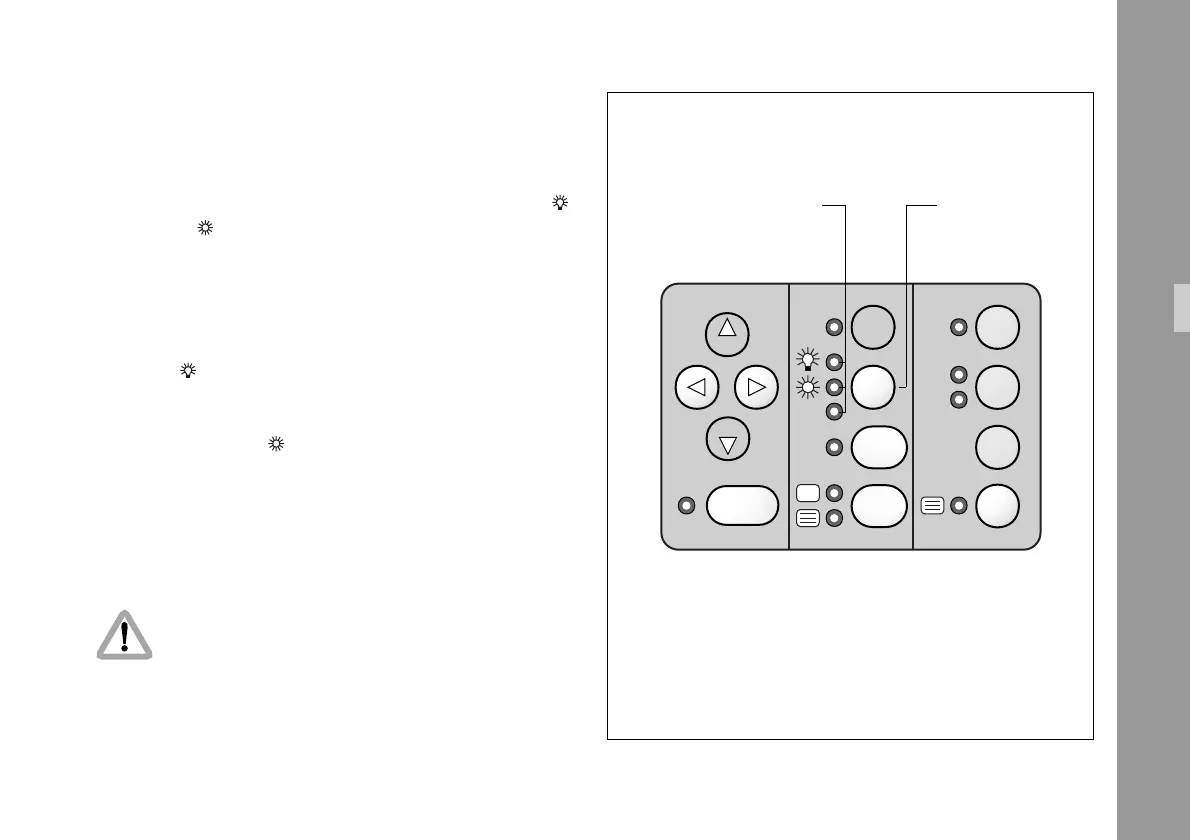
5.4 White Balance (WB)
The IVS offers a choice for white balance between an
automatic control (ATW) or a fixed setting for indoor ( )
or outdoor ( ).
If automatic white balance (ATW) is selected §,
the IVS will automatically set white balance. For this no
white card reading is necessary.
If indoor ( ) is selected § white balance is
optimized for tungsten lighting with 3200 K.
The outdoor setting ( ) § optimizes the white
balance for daylight with 5600 K.
• By pressing the key WB §, the setting will be
changed from indoor, outdoor to automatic white
balance and back to indoor. Illuminated LEDs show
the selected mode.
Check all settings on the connected monitor.
WB keyLEDs for
White
balance
Standard Video Controls



 To Next Page