Installing/replacing your new Home Phone modem
3
Connecting the modem
Guide to installing/replacing
your Home Phone Arris
TG2472 modem
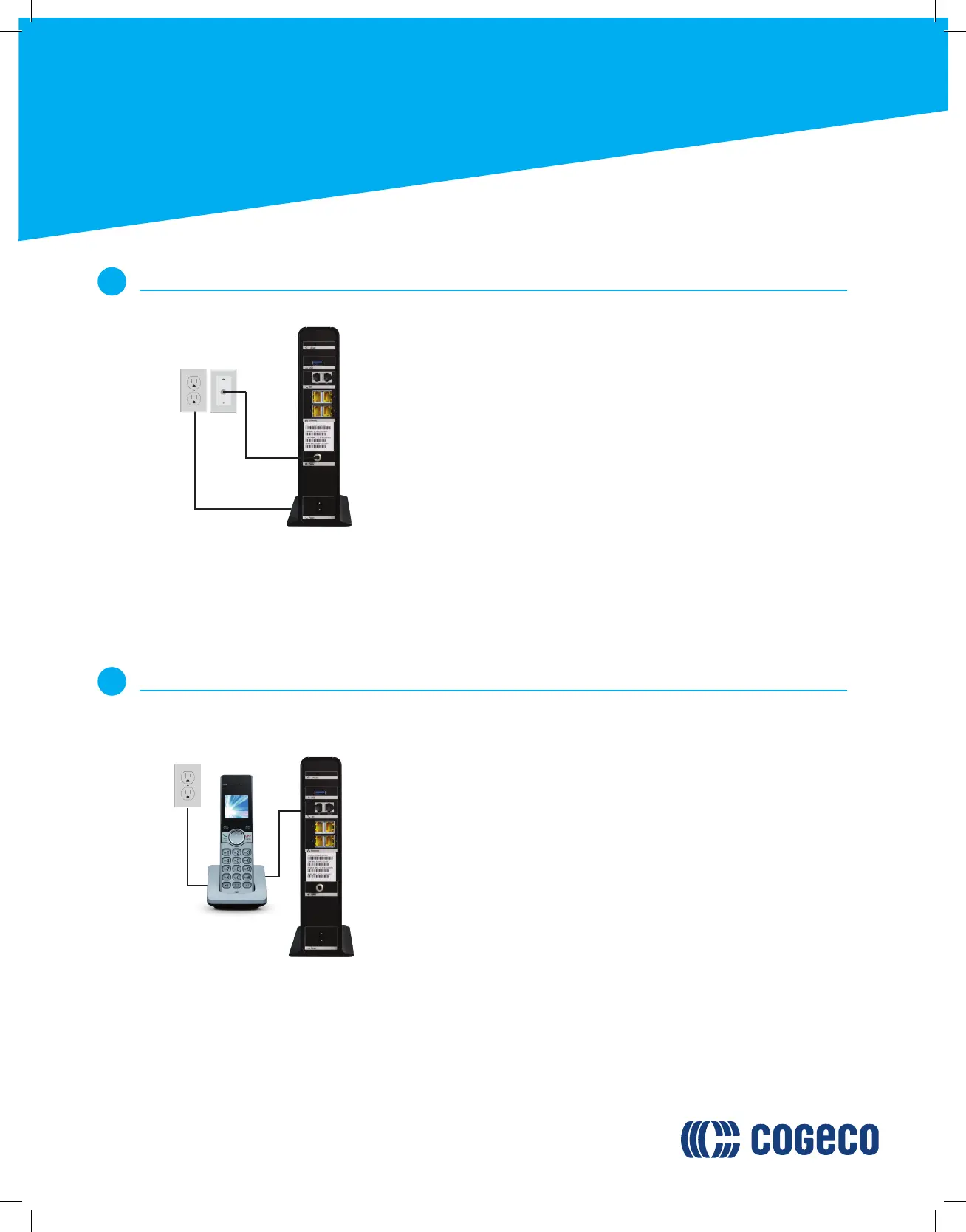
Locate a coaxial wall outlet in your home. If you are using Cogeco’s
Wi-Fi services, we suggest using an outlet that is centralized in your
home for the best possible Wi-Fi coverage. Connect the coaxial
cable to the wall outlet.
Connect the coaxial cable provided to the cable connector at the
rear of the modem. Firmly tighten the cables by hand to avoid
damaging the connectors.
Connect the power cord to the modem and to an active electrical
outlet. This will start the synchronization process and may take up
to 20 minutes for the modem to come online.
If the US or DS lights are still blinking after 20 minutes, try moving
your modem to another coaxial outlet in the home (if available) and
repeat the above process. For further support, see the
troubleshooting section at the end of this guide.
A.
B.
C.
D.
Connecting your telephone to the modem
4
If you are not subscribed to Cogeco’s Home Phone service, skip to step 5.
If your phone uses an electrical power supply, ensure that it is
connected to the base of your phone.
Connect a telephone wire (not provided) from the base of your
phone, and connect the other end of the wire to the “Line 1/2”
phone jack on the back of the modem.
If you subscribe to 2 telephone lines, you may attach a second
telephone to the modem’s Line 2 phone jack.
A.
B.
C.
A
A
B
A
B
C










 To Next Page