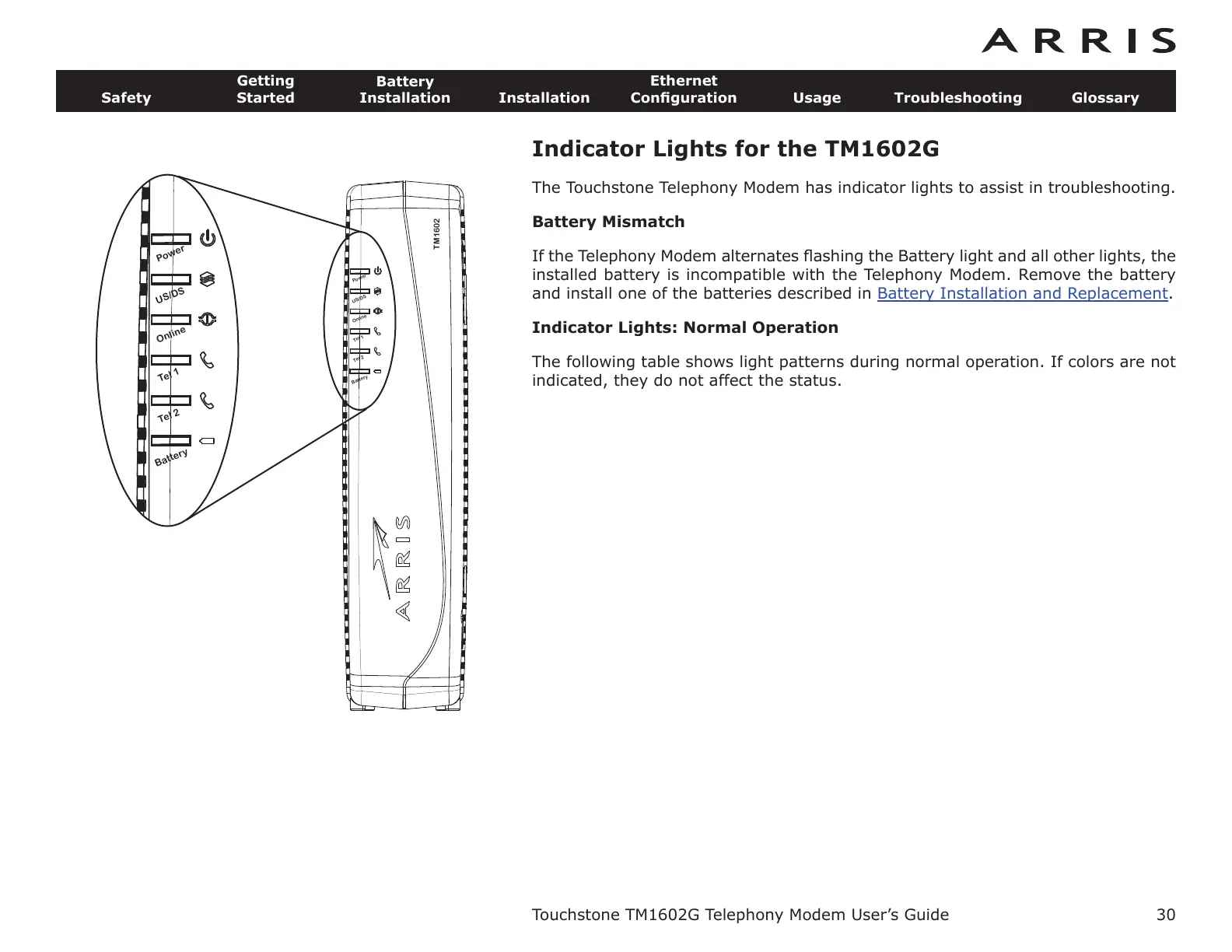
Indicator Lights for the TM1602G
The Touchstone Telephony Modem has indicator lights to assist in troubleshooting.
Battery Mismatch
If the Telephony Modem alternates flashing the Battery light and all other lights, the
installed battery is incompatible with the Telephony Modem. Remove the battery
and install one of the batteries described in
Battery Installation and Replacement.
Indicator Lights: Normal Operation
The following table shows light patterns during normal operation. If colors are not
indicated, they do not affect the status.
Touchstone TM1602G Telephony Modem User’s Guide
Safety
Getting
Started
Battery
Installation
Installation
Ethernet
Configuration Usage Troubleshooting Glossary
30
TM1602
B
atter
y
Tel
2
Tel 1
Online
Power
US
/DS
Batte
r
y
Tel 2
Tel 1
Online
Power
US/DS















 To Next Page