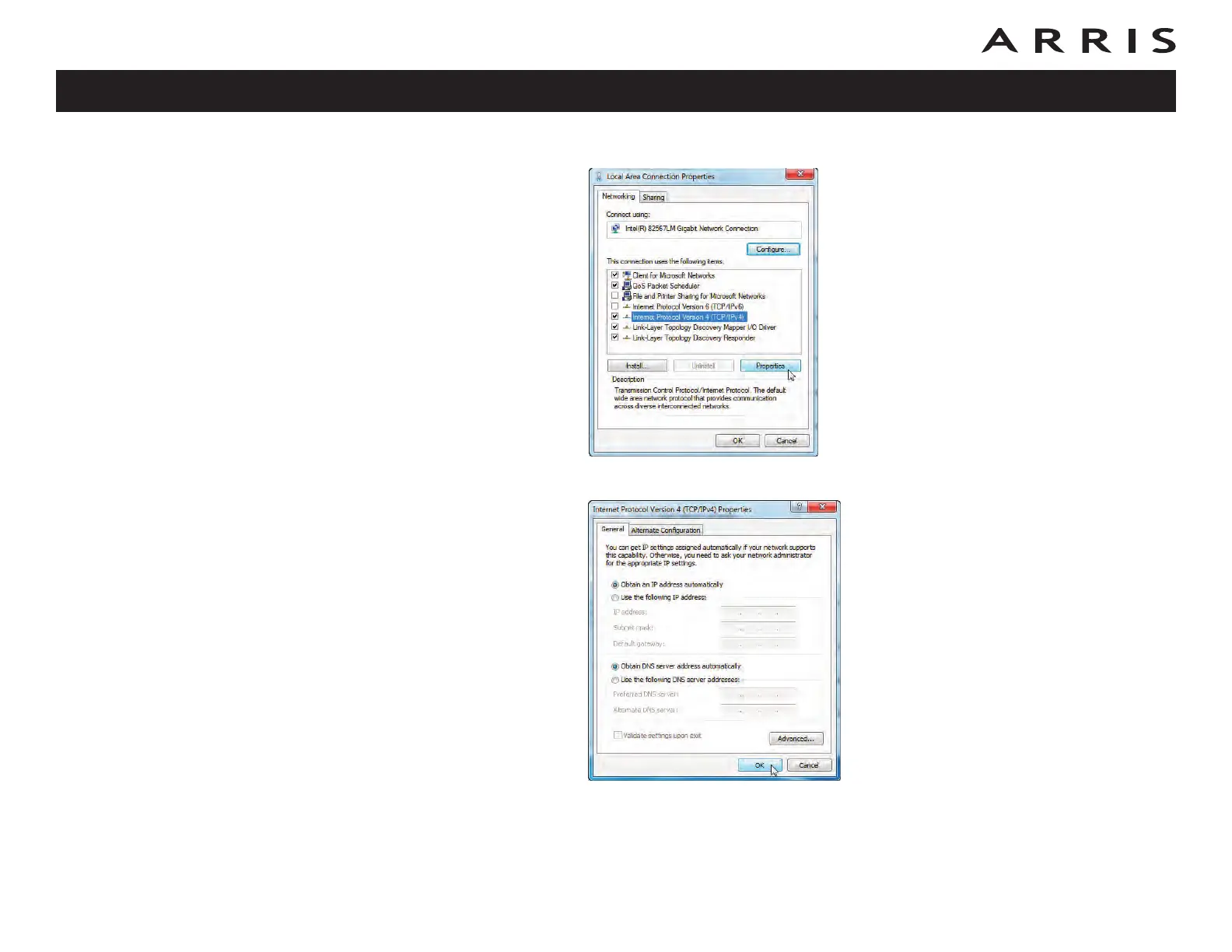
5 Click Properties to open the Properties window.
6 Select Internet Protocol Version 4 (TCP/IPv4) and click Properties.
7 Select Obtain an IP address automatically and Obtain DNS server
address automatically, unless instructed otherwise by your cable provider.
8 Click OK to close the Properties windows and then click Close to back out
of the remaining setup screens.
Touchstone TM722 Telephony Modem User’s Guide
Safety
Getting
Started
Battery
Installation Installation
USB
Drivers
Ethernet
Configuration Usage Troubleshooting Glossary
52















 To Next Page