Release 8 STANDARD 1.3 August 2016 Touchstone TM822G Telephony Modem User Guide
© 2011-2016 ARRIS Enterprises LLC. All Rights Reserved. 16
Chapter 4
Battery Installation and Removal
Introduction
The TM822G Telephony Modem supports a Lithium-Ion backup battery to provide continued
telephone service during power outages. The battery backup is not intended to take the place
of AC power.
Note: The battery is intended only to provide emergency telephone service in the case of a
power outage. LED operation is reduced when the Telephony Modem is operating on battery
power.
Note: For safety and regulatory purposes, batteries are shipped outside of the Telephony
Modem and must be installed.
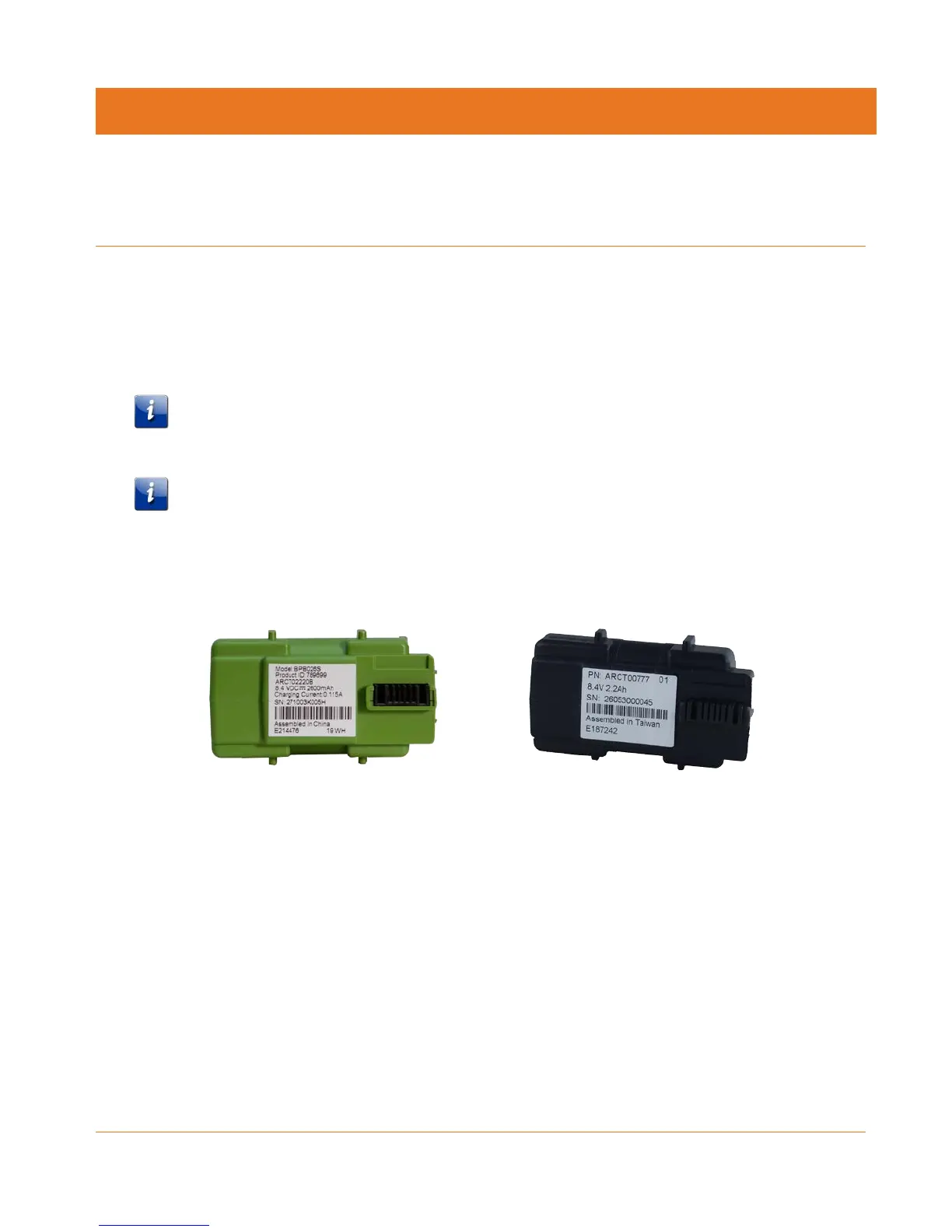
The TM822G supports the following battery models:
Basic backup battery: provides up to 6 hours (black) or 8 hours (green) of backup time,
depending on your Telephony Modem model and usage. It may be green or black.
Basic Backup Battery (Green) Basic Backup Battery (Black)
Refer to Basic Battery Installation and Replacement (page 18).















 To Next Page