• The Dispense Direction and Device Orientation will determine how the
statistics are calculated in the Output Report. For more information, see
section 5.3.1 of the Procedure Guide.
• Begin entering Group Information: select the Target Volume, the number
of Data Points, and set the tolerance limits for Relative Inaccuracy and
Coecient of Variation.
• The Data Points drop-down list will only contain numbers which follow the
two rules for Layout Groups in Plate Layouts (not including 4-, 8-, 96-, or
384-channel devices):
1) Each must contain at least 3 data points, and
2) Each must span an entire row or column.
• In the Advanced edition of Data Manager, 1-, 8-, 12-, 16-, 24-, and 96-channel
devices can also be set up to index into a 384-well microtiter plate for Plate
Layouts.
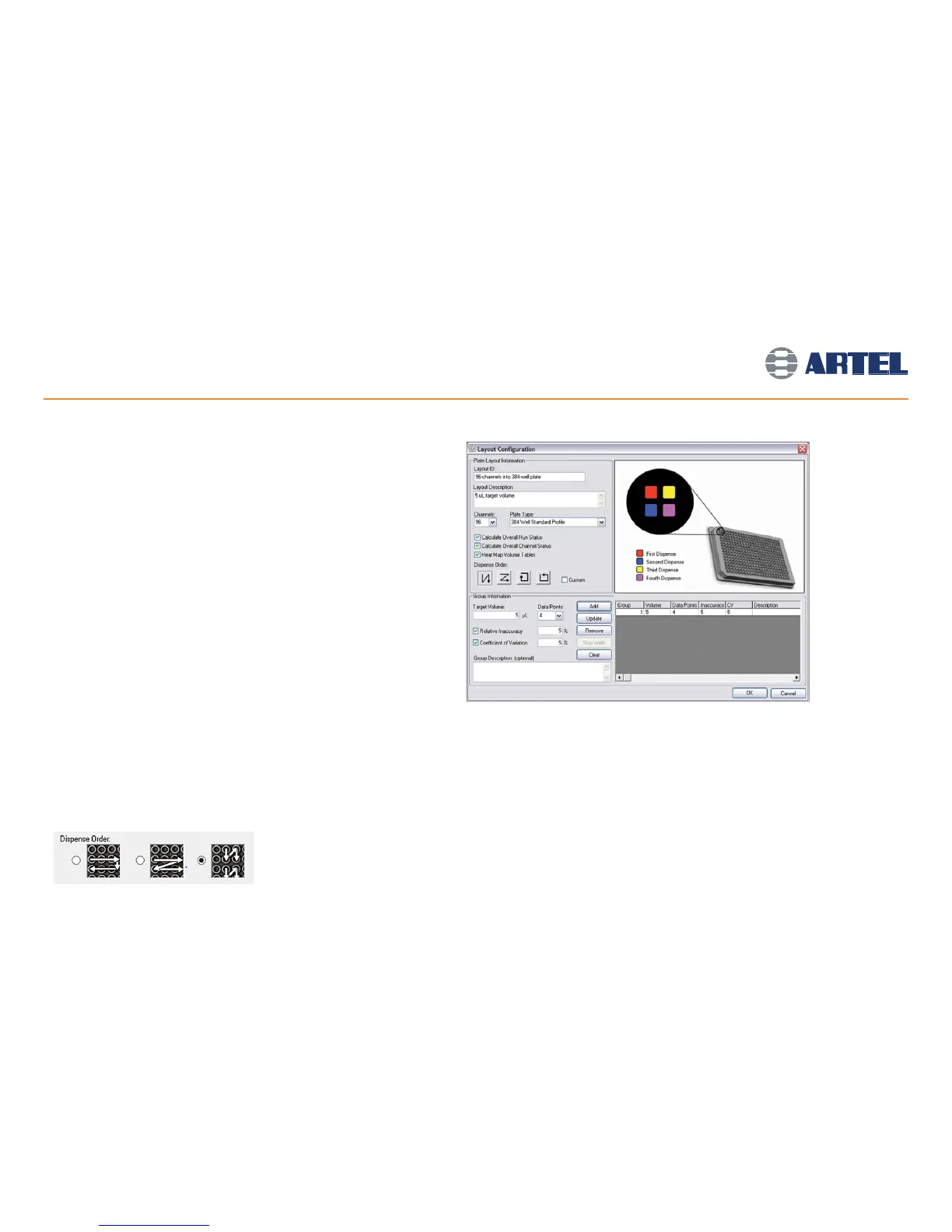
When dispensing with 96-channel devices into 384-well plates:
- To create a custom dispense order, using the mouse, click the 4
quadrants of the large circle in the picture in the order that the liquid
dispense will occur (see screen image at right).
- Each quadrant will be highlighted with the color indicating the First,
Second, Third or Fourth Dispense, as shown in the key below the circle.
When dispensing with 8-channel devices into 384-well plates:
• Select, from the three options, the dispense order that matches the liquid handler
dispense pattern.
10
Volume Verification Setup
(continued)



 To Next Page