Dilution Verification Setup
Plate Layout Setup
• At the Main Screen, select File | Plate Layout Setup.
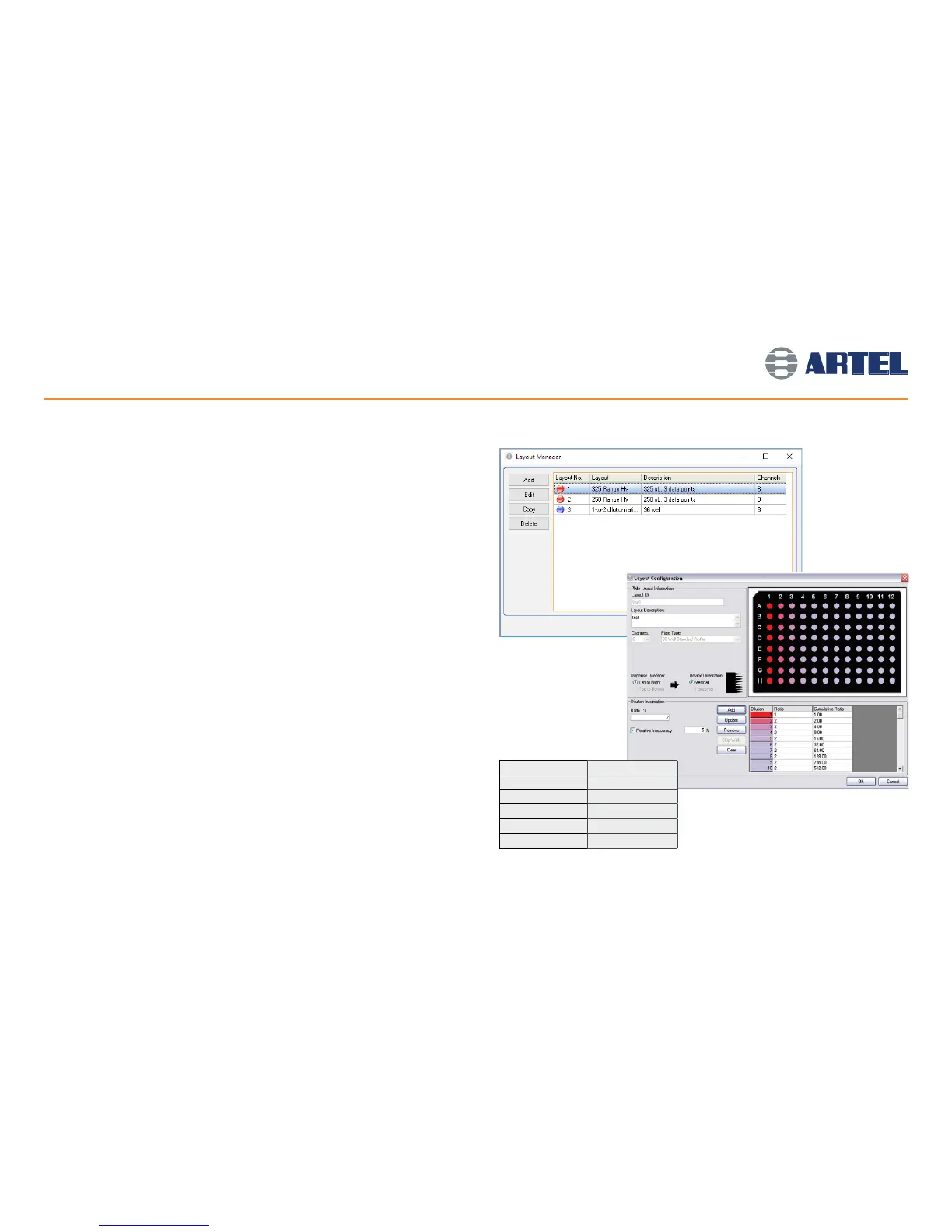
• The Layout Manager will open (see screen image at right).
• Click Add and select Serial Dilution Layout to display the Layout Configuration window.
Add a Dilution Plate Layout
• Enter a unique Layout ID, a Layout Description, and then select the number of
Channels and the Plate Type for the Plate Layout.
• The Dispense Direction and Device Orientation settings are automatically set as
Left-to-Right and Vertical for the 8-channel, and Top-to-Bottom and Horizontal
for the 12-channel dilutions respectively in 96-well plates.
• The dispense direction settings must be defined when using an 8-channel dispenser
and a 384-well plate. Choose the correct dispensing pattern from the options by
clicking the button next to the appropriate icon. The settings are automatically set as
Top-to-Bottom and Horizontal for 12-channel dilutions in 384-well plates.
• In the Dilution Information section, enter a target dilution ratio and set the tolerance
limit for Relative Inaccuracy, then click Add. Repeat for each dilution step (see screen
image at right).
• The Relative Inaccuracy setting will be used for all dilutions in the Plate Layout and, if
enabled, ratios exceeding the tolerance limit will be highlighted on the Output Report.
• For Plate Layouts with multiple dilution steps and an overall dilution ratio greater than
1:4, multiple Sample Solutions and microtiter plates will be required.
• The table to the right will assist with determining which Sample Solutions will be
needed to accurately measure the target dilution ratios.
Note: Total volume in plate wells must be between 100 and 200
μ
L in a 96-well plate, or 28
and 55
μ
L in a standard 384-well plate after dilution steps have been completed.
11
Sample Solution Dilution Range
Range A 1 – 1:3.99
Range B 1:4 – 1:19.99
Range C 1:20 – 1:99.99
Range D 1:100 – 1:399.99
Range E 1:400 – 1:2048



 To Next Page