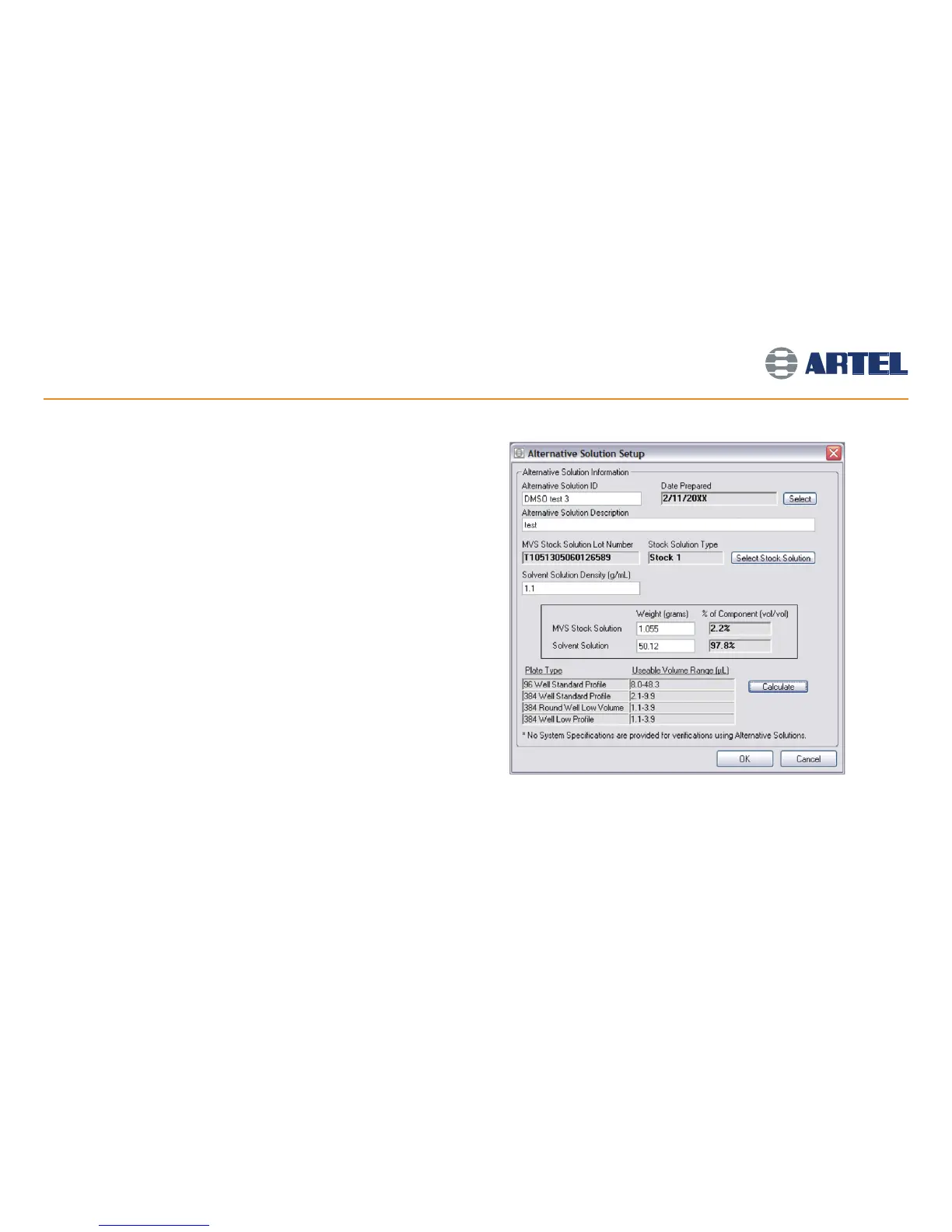
Add the Alternative Solution to the Library:
• Select Alternative Solution Library from the File menu and click Add.
• Enter a unique ID and Description. Click Select Stock Solution and scan the
appropriate MVS Stock Solution with the Bar Code Reader.
• Enter the Solvent Solution density.
• Enter the weights of the solutions used to prepare the Alternative Solution
into the Stock Solution and Solvent Solution fields.
• Click Calculate to determine the appropriate volume ranges for the solution
(see screen image at right).
• Click OK twice to save changes and start a new verification, as described in
the flowchart below.
Alternative Solution Verification
16



 To Next Page