12.3.1. Using Sync
Of all the skills you can master in music, mastering sync is one of the most important. Sync
is what happens when two or more units (effects, oscillators, filters, voices) synchronize
their rhythms to each other. Sync is also how we humans link to the flow of music. If
you want to capture the attention of your listeners you have to understand how to make
captivating sync patterns.
The MicroFreak can sync to your DAW or external synth in different ways: its Rate dial
allows you to sync proportionally; at double speed, at half-speed, or somewhere in between.
The MicroFreak has three modules that can be synced: the LFO, the Arpeggiator and the
Sequencer. In synced mode, you can use them to create accents or rhythmic shifts.
12.4. Making it Swing
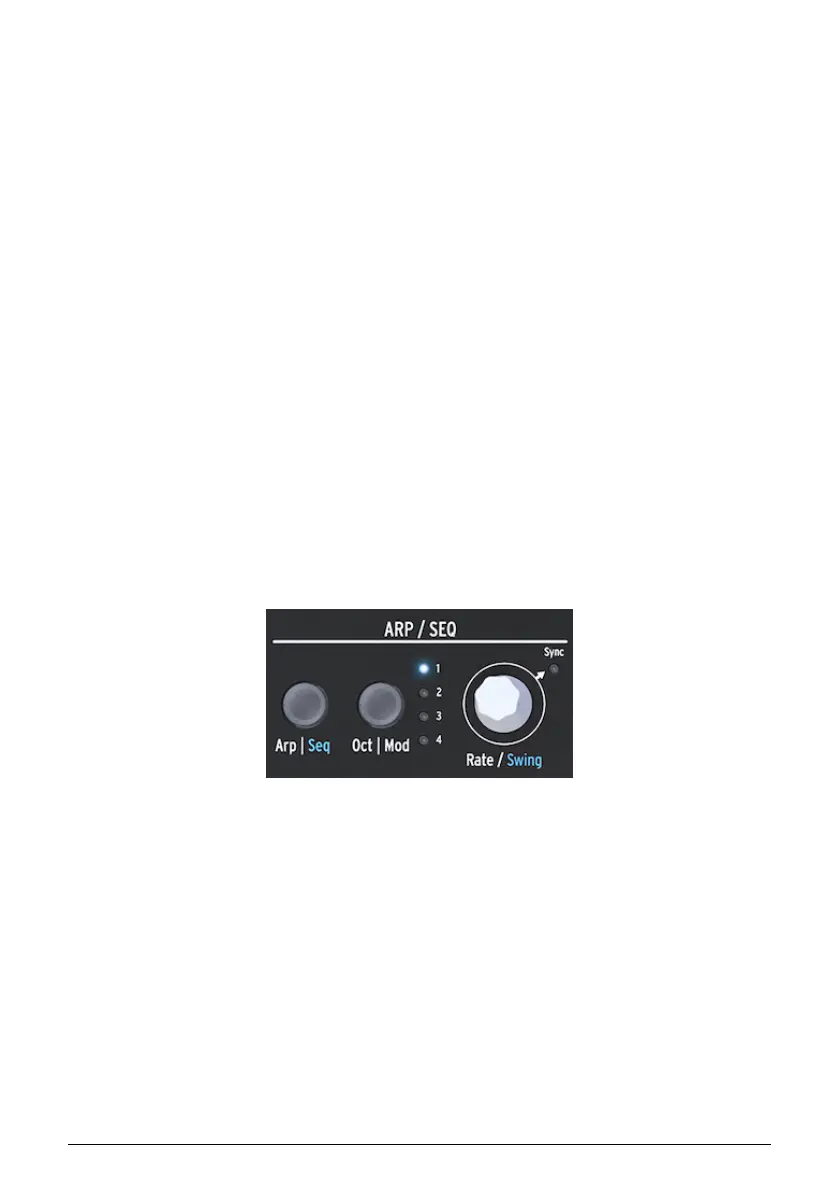
Hold SHIFT and turn the Rate encoder to set a Swing amount. If you've listened to music
before (it's unlikely you haven't) you have heard swing. It's when musicians play just before
or after the beat. This is often used in Jazz and South American music. It awakens an
emotion of freedom, of not being forced into a fixed rhythm. It is particularly effective when
you mix "straight" notes with "swung" notes. To activate Swing, hold the blue SHIFT button
and press Rate. The swing range goes from 50% - 75%. By default, it is 50%.
12.5. Arpeggio Range
By default the Arpeggiator will play the notes you hold down and stay within the limits of
an octave. The Oct | Mod button will extend the notes beyond that range. By changing the
octave range, the Arpeggiator will also play notes in the octaves above the chord you play.
Press the Oct | Mod button to change the Range.
Octave range settings:
• "1" only notes held down on the keyboard are played
• "2" held down notes plus the same notes repeated one octave above.
• "3" held down notes plus the same notes repeated two octaves above.
• "4" held down notes plus the same notes repeated three octaves above.
The Arpeggiator has another freaky feature that becomes appearent when you press the
Octave Up or Down button (to the left of the Shift button) while playing an arpeggio. On most
arpeggiators pressing the octave down or up button will transpose all currently held notes in
the arpeggio an octave down or up. The MicroFreak Arpeggiator will keep the pitch of your
arpeggio intact. If you change the octave down or up the new notes you play will be added
to the arpeggio in the new octave range.
The Arpeggiator and range
Arturia - User Manual MicroFreak - The Arpeggiator 70















 To Next Page