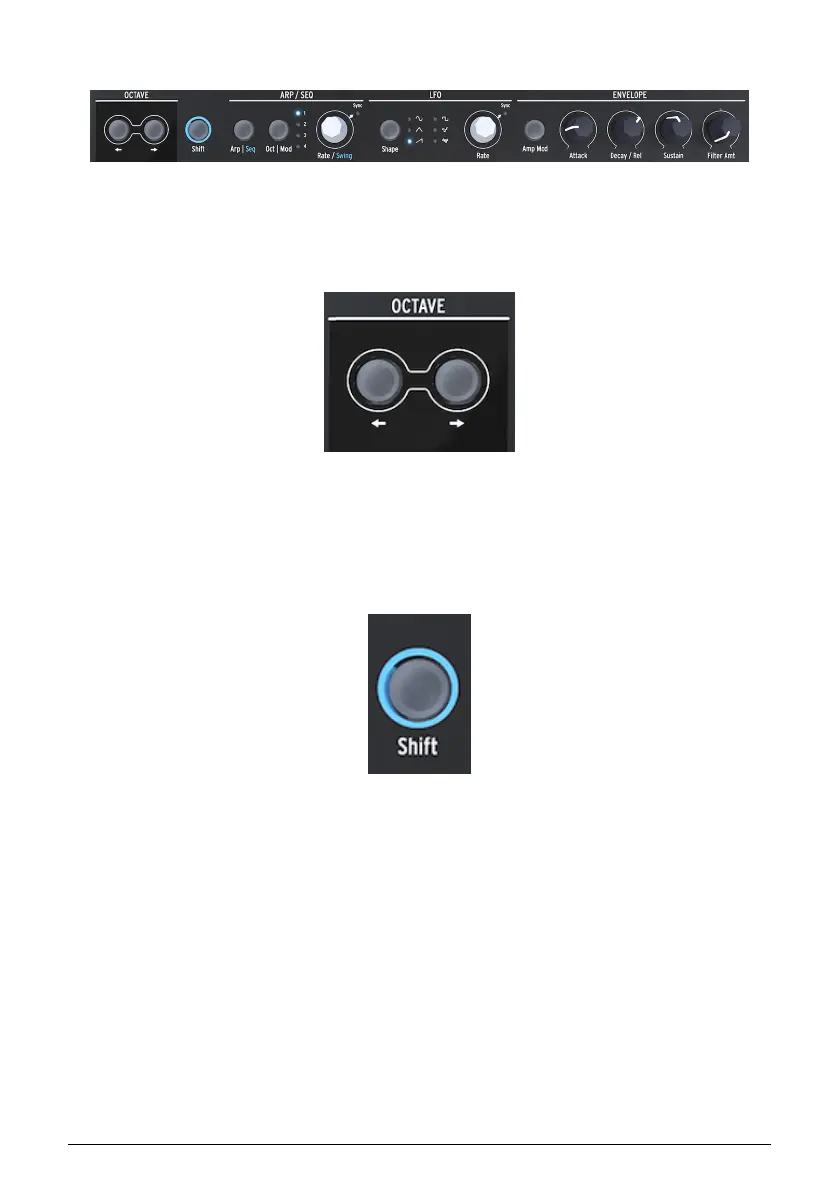
3.1.3. Bottom Row
3.1.3.1. Octave select
Enables you to select the active octave range for the keyboard.
3.1.3.2. Shift
Holding Shift allows you to change a number of functions, some are printed printed in blue
on the panel others are more hidden. for a complete overview please refer to chapter 16:
Cheat sheet [p.95].
• Toggle between Arp / Seq (activates either the Arpeggiator or the Sequencer)
• Set a swing rate
• Control the shape of the Attack stage of the Cycling Envelope
• Control the shape of the Fall stage of the Cycling Envelope
In addition you can use Shift to transpose sequences, reload them or copy an Arpeggio to a
sequence. Please refer to chapter 12 [p.72] and chapter 13 [p.67] for details
Bottom row of the MicroFreak
Octave select
The shift button
Arturia - User Manual MicroFreak - MicroFreak Overview 14















 To Next Page