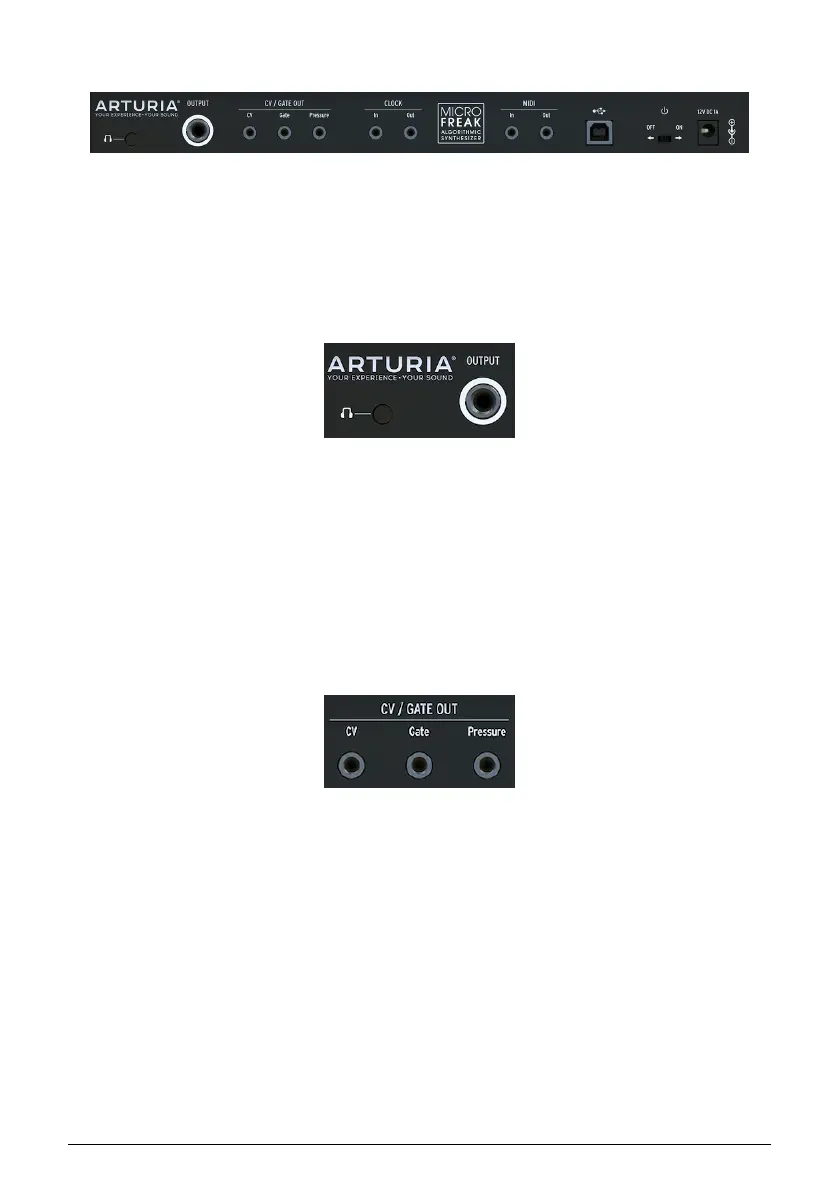
3.2. Rear Panel Overview
3.2.1. Audio outputs
The headphone output is a standard 3.5 mm TS or TRS jack. The output of the MicroFreak is
monaural. Connecting stereo headphones will merely provide the identical sound on the left
and right sides (i.e., mono).
The Line output is a 6.35 mm TRS jack. It's output is monaural. Use this output to connect to
your amplifier or mixer. Line out is symmetrical/balanced type output. This is a symmetrised
TRS jack, connecting a TRS jack will improve the signal-to-noise ratio.
3.2.2. Pitch/Gate/Pressure outputs
These are typically used together to send electrical signals to an external device such as
Arturia’s powerhouse monophonic analog synthesizers (MatrixBrute, MiniBrute/SE, and the
MicroBrute) or a Eurorack modular system.
The CV output sends a control voltage you can use to control external oscillators. Gate can
trigger external devices. Pressure generates either a pressure voltage or a velocity voltage
depending on the settings in Utility [p.82]: Utility>Preset>Press mode.
Rear Panel Overview
Audio output
CV, Gate and Pressure
outputs
Arturia - User Manual MicroFreak - MicroFreak Overview 18















 To Next Page