Overview
Chapter 1
4 Aruba 200 Mobility Controller 0500215-01
Installation Guide January 2006
System Indicator LEDs
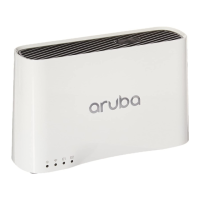
The system LEDs, located on the front of the controller, display the status of
system power and operation.
Fast Ethernet WAN Port
The Aruba 200 Mobility Controller provides one 10/100 Mbps Fast Ethernet (FE)
port to connect to a WAN link. The FE port automatically senses and negotiates
speed, duplex, and MDI/MDX settings.
From the WebUI and the CLI, this port address is interface fastethernet 1/0.
The port has two LEDs above the port: a LNK/ACT LED on the left and a 100 LED
on the right. During operation, these LEDs provide the following information:
Use a Category 5 (or better) UTP cable with RJ-45 connectors to connect to
devices up to 100m (325 feet) away.
TABLE 1-1 System LEDs
LED State Description
Power Green Mobility Controller is powered on.
Off Mobility Controller is powered off.
Status Green Mobility Controller has booted and is functioning
properly.
Off Mobility Controller is booting, loading software, or
has failed.
NOTE: This LED remains off until you perform the
initial setup described in the Aruba Quick
Start Guide (included in the Accessory Kit).
Status Description
LNK/ACT LED
Off No Ethernet link on the port.
Green An Ethernet link has been established on the port, but no data is
currently being transmitted or received.
Flashing
Green
The port is transmitting or receiving data. The flashing rate is
fixed and is not proportional to your network activity.
100 LED
Off The Ethernet link speed is 10 Mbps.
Green The Ethernet link speed is 100 Mbps.
1
2



 To Next Page