Aruba 200 Mobility Controller 9
Installation Guide
Installing the Chassis
Chapter 2
Limit Electromagnetic Interference
For best operation, keep the Aruba 200 Mobility Controller and all cords and
cables at least 0.7 meters (2 feet) from fluorescent lighting fixtures, and 2 meters
(6 feet) from photocopiers, radio transmitters, electric generators, and other
sources of strong electromagnetic interference.
Aruba recommends that you do not stack multiple Aruba 200 Mobility Controllers
or place other devices on the top of the unit. However, if you must stack devices,
make sure that adequate space exists between units to allow for air flow to keep
the Aruba 200 Mobility Controller within operation temperature limits. At a
minimum, make sure the upper unit has its rubber feet attached.
Connecting Power
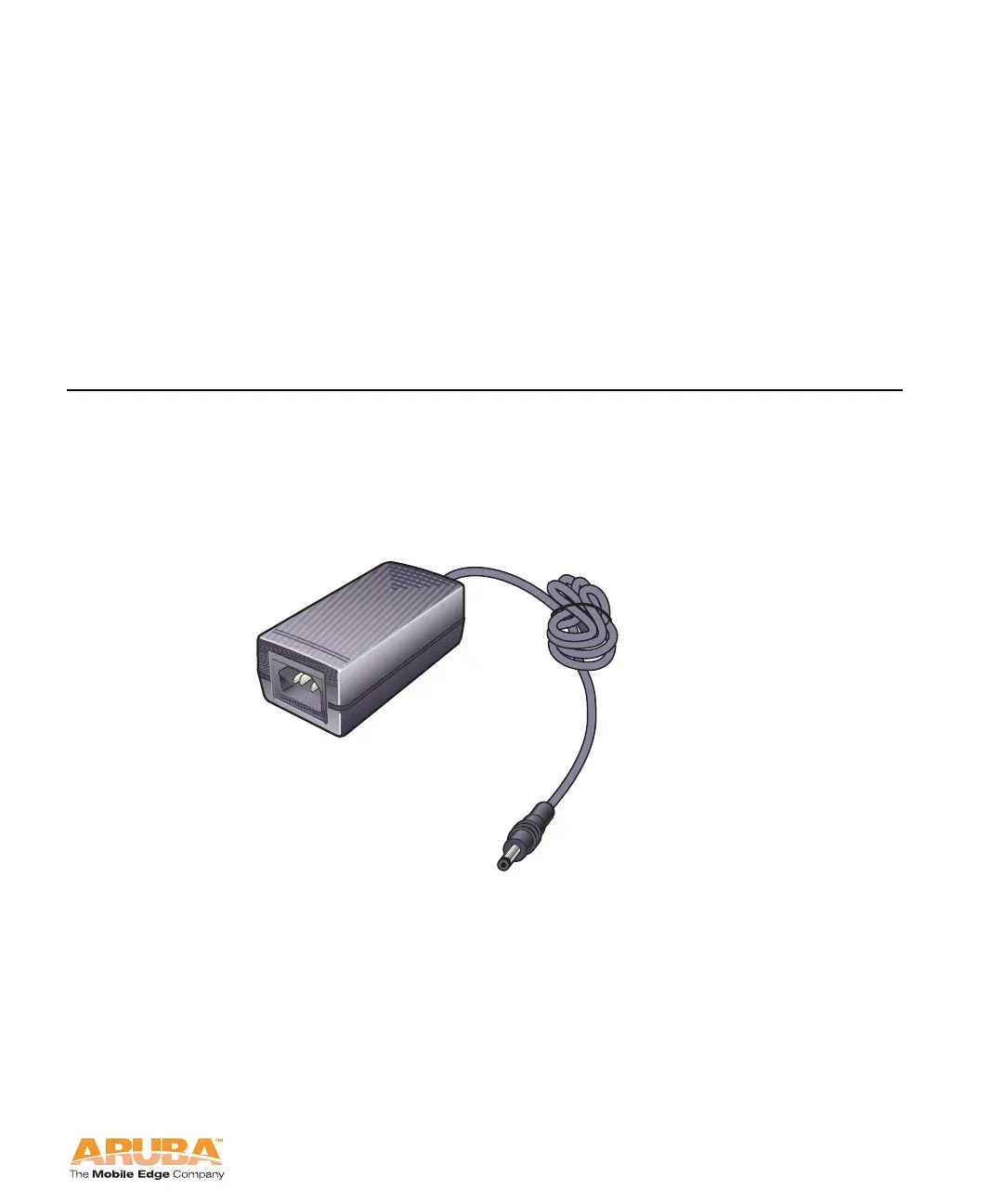
Use the power adapter supplied with the Aruba 200 Mobility Controller. Do not
substitute power adapters designed for other products as this may damage the
device or the power adapter.
FIGURE 2-1 Power Adapter
To power the Aruba 200 Mobility Controller:
1. Insert the DC connector into the power port on the rear of the Aruba 200
Mobility Controller.
2. Connect the power cord to the power adapter and plug this into a standard
grounded outlet.
DC CONNECTOR



 To Next Page