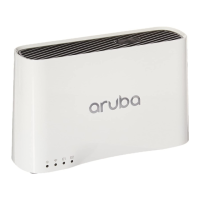
Aruba 200 Mobility Controller 7
Installation Guide
chassis
Installing the Chassis
2
This chapter covers the following installation topics:
“Pre-Installation Checklist”
“Precautions”
“Installation Requirements”
“Connecting Power”
“Verifying the Installation”
Pre-Installation Checklist
Inspect the package in which the Aruba 200 Mobility Controller was shipped to
ensure you have the following components:
Aruba 200 Mobility Controller
Four rubber feet (included but not installed)
Aruba power adapter and country-appropriate power cord
RS-232 serial cable with RJ-45 male connectors
Aruba serial adapter (included) to connect the serial cable to a terminal or PC
with a DB-9 serial port
Setup Map document
Software End User License Agreement (EULA)
Quick Start Guide
Aruba 200 Mobility Controller Installation Guide (this manual)
Managing Software License document
Aruba Documentation CD
ArubaOS Release Notes



 To Next Page