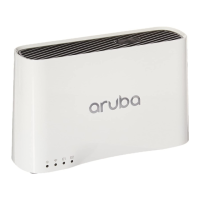
Aruba 200 Mobility Controller 5
Installation Guide
Overview
Chapter 1
Gigabit Ethernet LAN Port
The Aruba 200 Mobility Controller provides one 10/100/1000 Mbps Gigabit
Ethernet (GE) port for high-speed connection to the wired LAN. The GE port
automatically senses and negotiates speed, duplex, and MDI/MDX settings.
From the WebUI and the CLI, this port address is interface gigabitethernet 1/1.
The port has two LEDs above the port: a LNK/ACT LED on the left and a 1000 LED
on the right. During operation, these LEDs provide the following information:
Use a Category 5 (or better) UTP cable with RJ-45 connectors to connect to
devices up to 100m (325 feet) away.
Serial Console Port
Use this port to connect a local management console. This connection is required
to access the text-based Command-Line Interface (CLI) for initial configuration of
the Aruba 200 Mobility Controller. The CLI can also be used for Mobility Controller
management and troubleshooting.
The port accepts an RS-232 serial cable with an RJ-45 male connector. See
“Serial Console Port” on page 11 for port information.
Status Description
LNK/ACT LED
Off No Ethernet link on the port.
Green An Ethernet link has been established on the port, but no data is
currently being transmitted or received.
Flashing
Green
The port is transmitting or receiving data. The flashing rate is
fixed and is not proportional to your network activity.
1000 LED
Off The Ethernet link speed is 10 or 100 Mbps.
Green The Ethernet link speed is 1000 Mbps.
3
4
CAUTION: Do not connect an AP to the serial console port. The serial
port is designed to connect to RS-232-only devices.
Connecting non-RS-232 devices such as an AP to the
serial port will cause the Mobility Controller to fail and can
cause damage.



 To Next Page