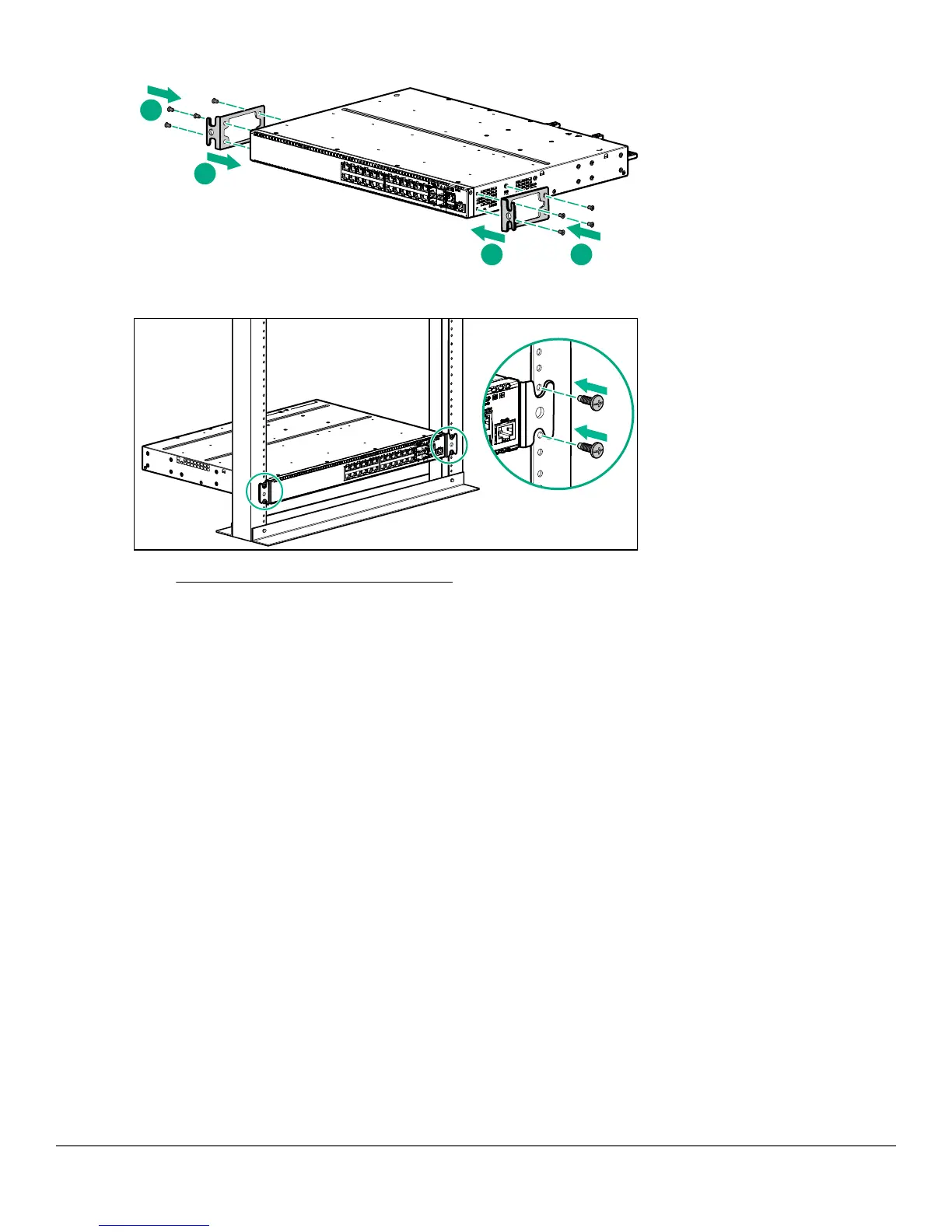
2. Use the four number 12-24 screws to secure the brackets to the rack.
3. Go to Connecting the switch to the network on page 10.
Mounting a switch on a tabletop or desktop
Prerequisites
• Locate the four self-adhesive pads included in the switch accessory kit.
• Select a secure horizontal surface where the network cables and switch power cord will not create a tripping
hazard.
Chapter 3 Mount the switch and connect to the network 9



 To Next Page