17
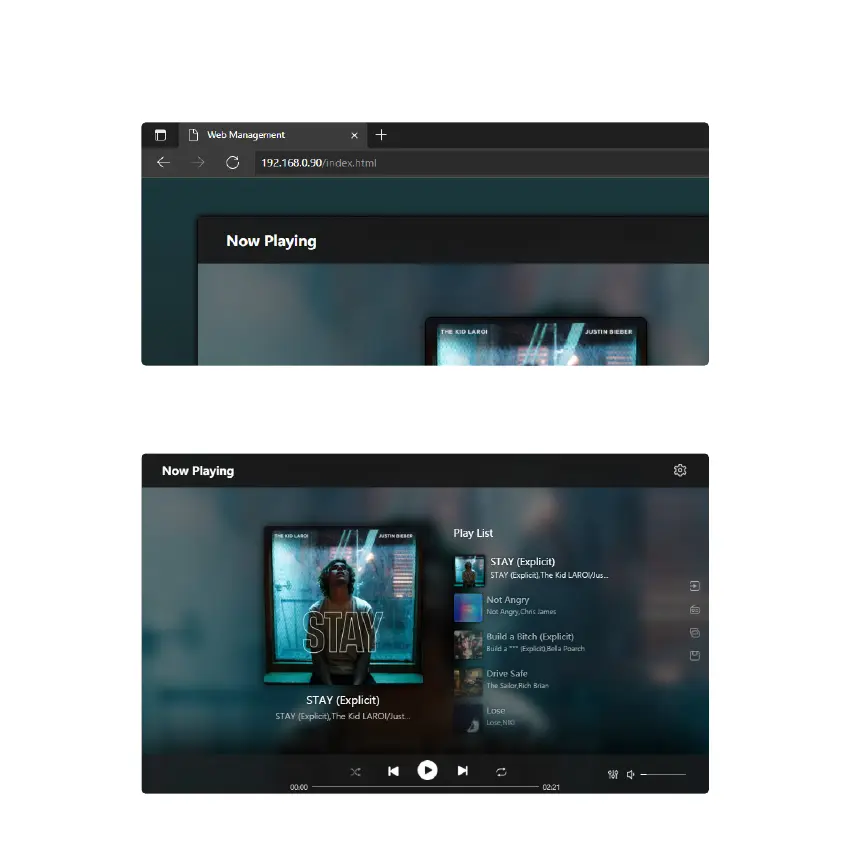
You can access the web player interface by entering the ip address of the device to a web broswer.
*You can nd the device ip address by clicking on device setup icon, then select Speaker Info.
You can control the volume, Play/Pause, previous/next song, repeat and shue function for songs or station you currently
playing or access the preset songs/stations you have setup.
You can also change the input source of the device.
10. Web Player Interface



 To Next Page