INSTALLATION GUIDE
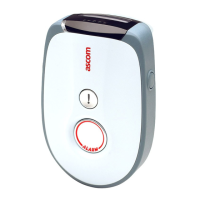
9dLD Locator, Version D
12TD 92775EN / 14 December 2020 / Ver. D
System Registration Parameters
1 Select Systems > System A > Registration Data.
2 Enter following parameters:
Location Parameters
Two different locations can be programmed on one 9dLD. The location code consists of three
hexadecimal digits (000-FFF).
1 Select Locations > Location 1
2 Set/enable:
Parameter Setting
• PARK The Portable Access Rights Key.
Default: 0000000000 (Hex)
• Location Area Level
(LAL)
Decimal value between 0 – 39
Default: 0 (Dec)
• PARK Length
Indication
(PLI)
Decimal value between 0 – 39
Default: 0 (Dec)
Parameter Setting
• Location enabled Set to On to activate the location.
Default: Off
• Location ID Enter a value 0000-0FFF
The last three positions are included in the location
transmission.
Default: 0000
NOTE: Location 2 can have a unique location ID but it can
also have the same ID as location 1.
• RSSI threshold A handset with DECT Location feature enabled, measures
the radio signal of the 9dLD. The handset will also receive
the RSSI threshold value set in the 9dLD. If the measured
radio signal is stronger than the threshold value, the
location is considered to be the best.
The RSSI threshold value in the 9dLD should be in the
interval 45 to 93, which means a radio signal of -45 to -93
dBm. By setting a high threshold value, e.g. -45, the
handset has to be closer to the 9dLD antenna before it can
be considered as the best location.
Example:
If the threshold value is set to 50 (-50 dBm; a relatively
high value), the handset has to be closer to the 9dLD than
if the threshold value is set to 70 (-70 dBm; a relatively low
value).
Included in the location transmission.
Default: 50 -dBm (min 30, max 93)



 To Next Page