INSTALLATION GUIDE
9dLD Locator, Version D
4TD 92775EN / 14 December 2020 / Ver. D
3. Cabling
The 9dLD is delivered with five IP65 classified cable entries for power cable and antenna
cables. Using an internal antenna only the power cable needs a cable entry. Using one or four
external antennas instead of the internal will make use of one or four more of the supplied
cable entries. At delivery none of the cable entries are mounted, nor are cable entry holes
drilled, thus making it possible to find the most appropriate cable entry positions upon
installation. Drill holes and push cable entries into positions. Below is the information needed
to mount each entry on the casing.
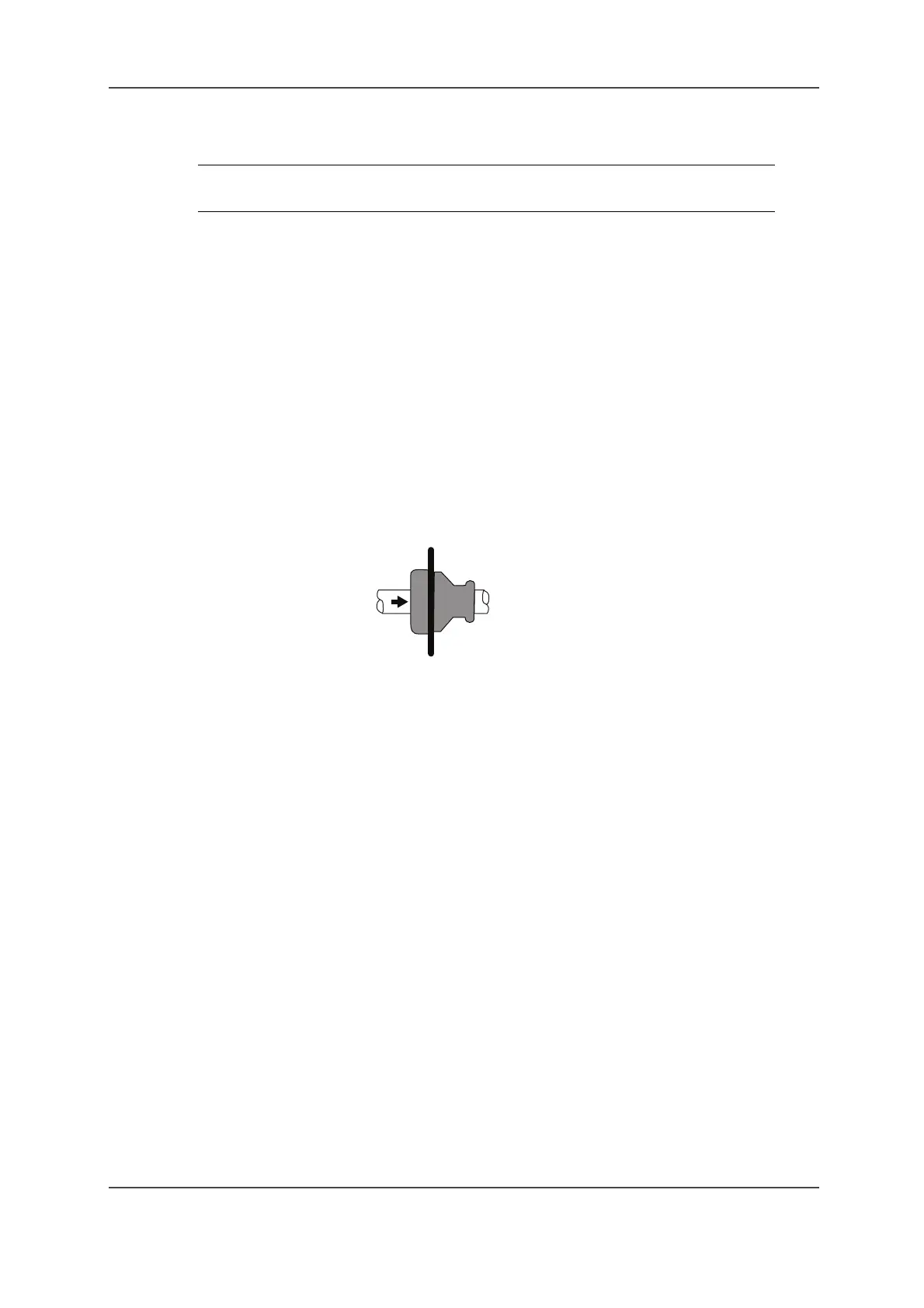
The cable should be thread through the cable entry from the outside to the inside.
Figure 1. Cable entry
IMPORTANT: Cable entries must be used. No cable entries must be directed
downwards.
Drill hole diameter for power cable: 12.5 mm
Drill hole diameter for antenna cable: 16.5 mm
Cable diameter for power cable: 3 – 5 mm
Cable diameter for antenna cable: 5 – 7 mm



 To Next Page